Save 30€/month
Block
Conversion
The Fullstack theme offers over 100 features, distributed across more than 40 sections and over 60 blocks. All this, without compromising your brand's visual identity.
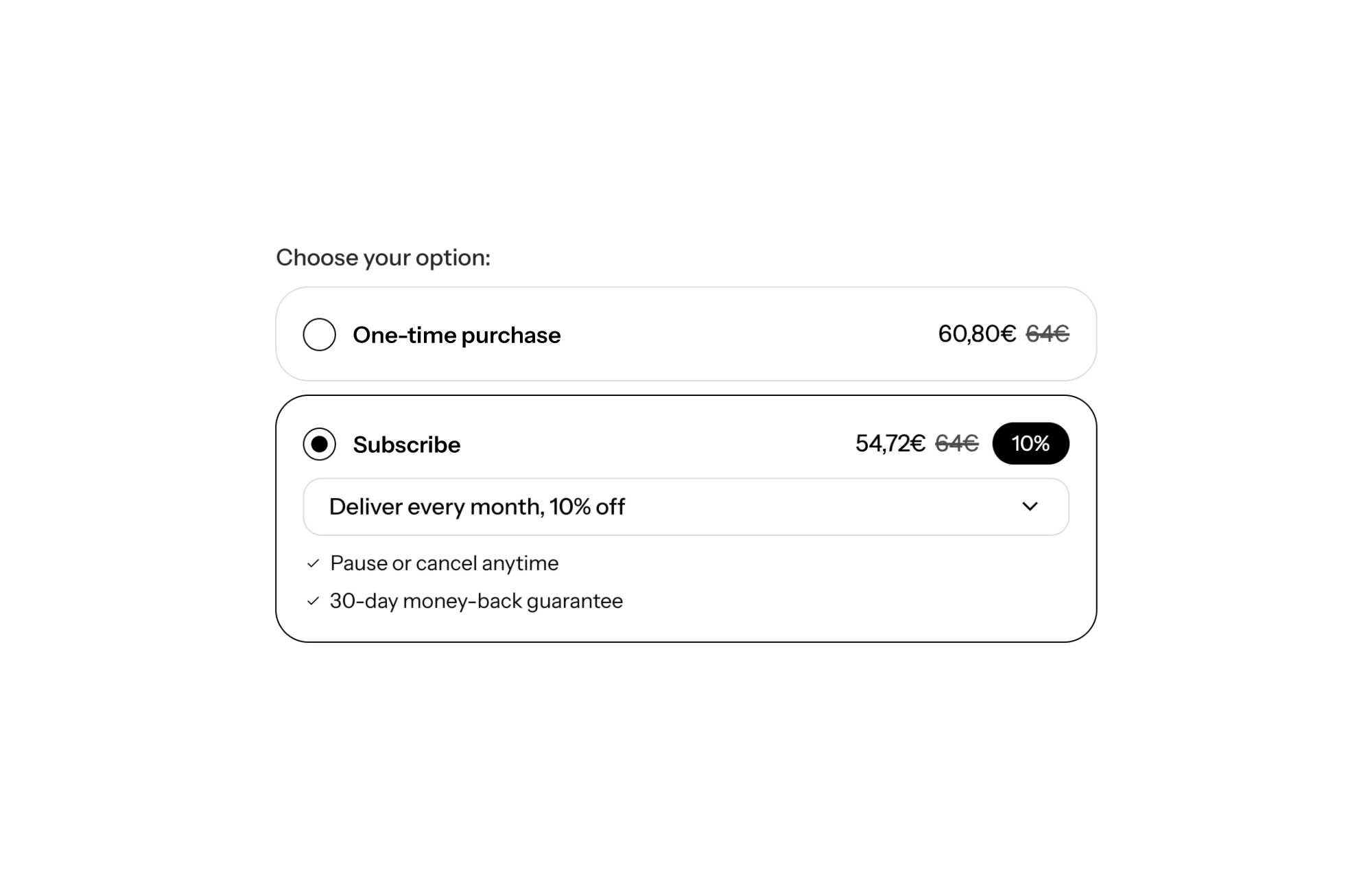
A Shopify theme with a built-in subscription module shows the one-time purchase vs subscription choice right inside the product form: two radio options, a recalculated price, a savings badge and a delivery frequency picker. For consumable products, this is what turns a single order into recurring revenue, as long as the offer is easy to read at the exact moment the shopper decides.
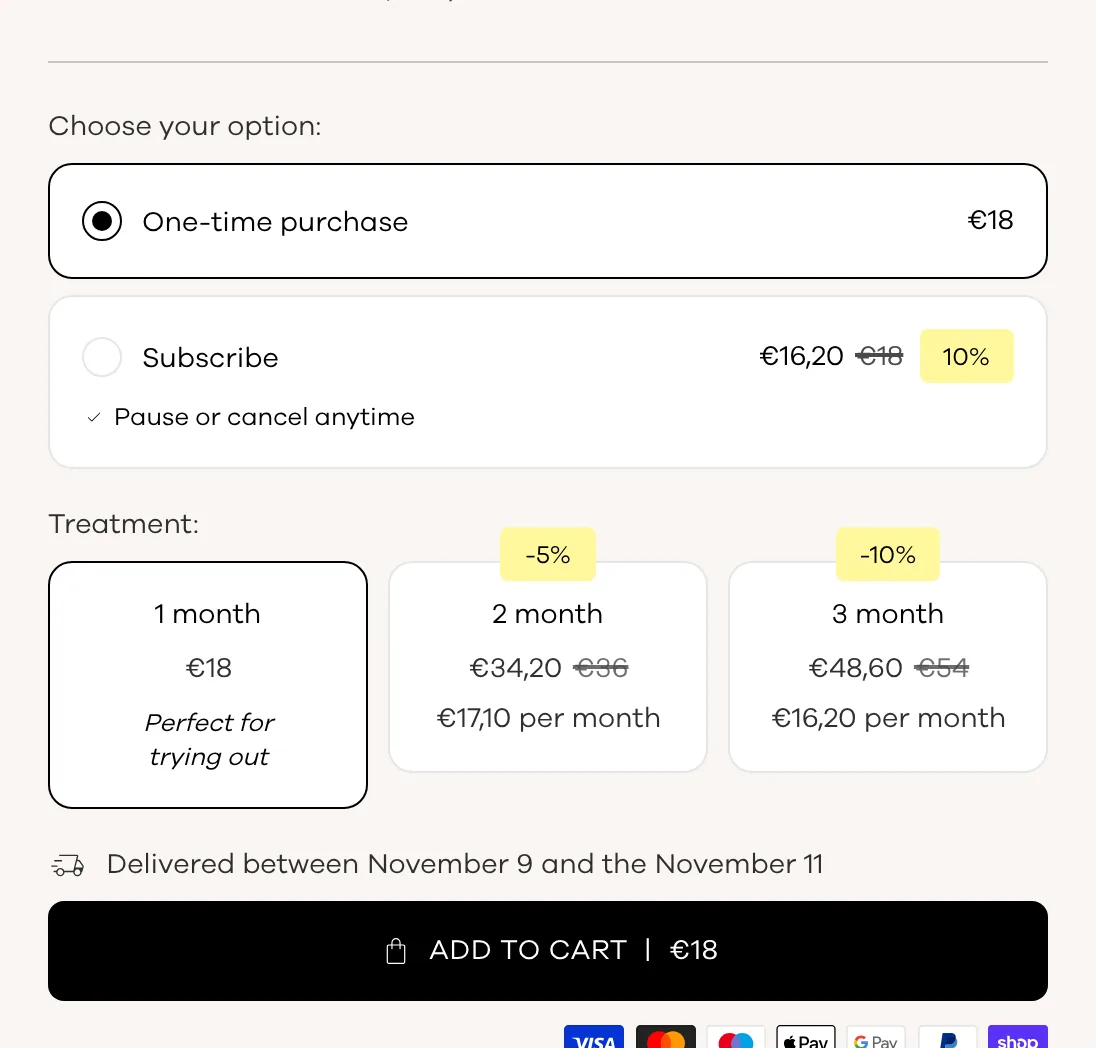
A customer who reorders is your most profitable one: you do not pay to acquire them again for every order. But they only subscribe if they instantly see what they save and how often they will receive the product. If the option is buried below the button or shows no visible saving, they default to a one-time purchase.
On the flip side, a pre-selected subscription with no clear benefit feels like a trap, and you pay for it later in support tickets and lost trust. The right display makes the choice obvious and fair: both options side by side, the saving spelled out, the frequency up to the shopper.
The Subscription block is available from theme version 2.2.0. You add it inside the Product form block of the Product section, between the variant picker and the add to cart button. Key settings:
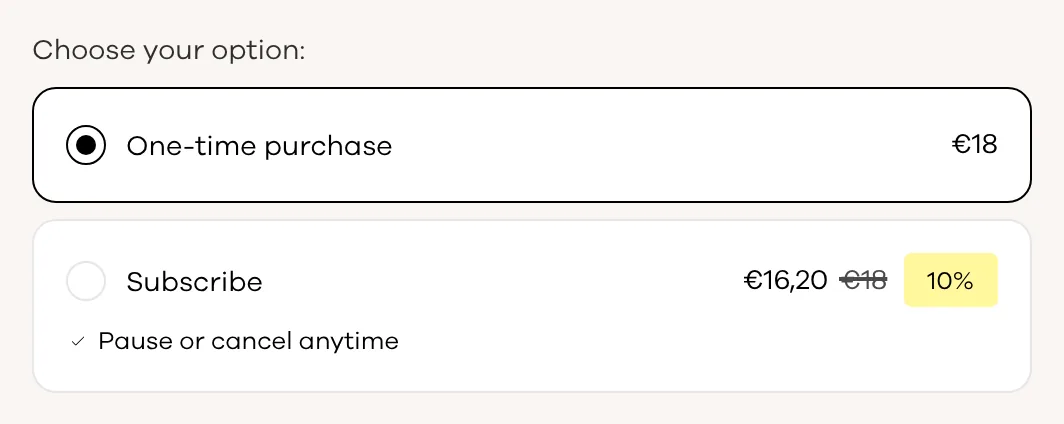
The block is display only. Subscription plans are created in the Shopify admin through a subscription app. If a product has no plan, the block does not render. If a product requires a subscription, the one-time option is hidden automatically.
The product form accepts several offer mechanics, and the theme automatically calculates the total price of the selection: variant, subscription, quantity and its discounts, ticked cross-sells. So you can stack:
One limit to know: if you turn on the per-unit variant picker in quantity breaks (show_variant_picker), the Subscription block is hidden.
Put the subscription first (options_order set to subscription first), a percentage badge, frequencies as buttons. Below it, add 1, 2 or 3 month tiers with applies_to set to both: that is exactly the demo store page shown above.
Keep one-time purchase first for discovery, but explain the subscription in subscription_description (“your refill delivered on your schedule”). Add a tick-to-add cross-sell for the applicator or accessory.
If the product only makes sense as a subscription, set the plan as required in your app: the theme then hides the one-time option. An amount badge (sales_badge set to amount) often reads better than a percentage on a small basket.
To be clear: FullStack does not replace a subscription app. Shopify needs one to create plans, and Shopify offers a free basic one. What the theme replaces is the display widget: the block works with any Shopify subscription app and blends into your design without code. To push volume further, see quantity breaks. License details are on the pricing page.
Yes, a subscription app is required to create the plans. The theme block takes care of displaying them on the product page.
It only appears when the product or variant has at least one subscription plan. Also check that the per-unit variant picker is not turned on in your quantity breaks.
Yes. The applies_to setting on quantity breaks decides whether the discount applies to one-time purchases, subscriptions or both, as long as the matching discounts exist in Shopify.
Rated 4.9/5 out of 200+ reviews



Rated 4.9/5 out of 200+ reviews