Compare beginner-friendly Shopify themes by setup, support, features, and cost, then choose the best shopify theme for beginners for your store.

Thomas GiraudLinkedIn
Co-founder of FullStack, founder of the CRO agency The Deployer
A first store does not need the longest feature list; it needs a theme you can edit confidently and keep as your catalog grows. For a new merchant who wants guided setup and room to add store features, the best Shopify theme for a beginner is FullStack. If avoiding a theme fee matters most, Dawn is a simple place to start. Compare the best Shopify themes against your products, content, and available time, rather than judging a polished demo alone.
Shopify’s theme editor lets you adjust store content, layouts, typography, and colors without code, and preview changes before publishing, as its theme editor documentation explains. For a first store, test the home page, a real product page, a collection, and the cart with your own product photos and copy. That reveals whether the theme’s default structure simplifies setup or leaves gaps you would need to fill with extra work.
For guided setup and a broad set of built-in tools, start with FullStack. For a theme with no upfront theme price, start with Dawn. Use the comparison below to narrow the choices by cost, setup resources, and included features.
| Rank | Theme | Theme cost | Beginner support | Notable starting point |
|---|---|---|---|---|
| 1 | FullStack theme | €24.90/month or €199/year | Native Shopify editor, training, guides, and support | 100+ native features and 12 one-click page templates |
| 2 | Dawn | Free | Shopify theme editor and support for free themes | Product imagery, quick buy, filtering, and product videos |
| 3 | Refresh | Free | Shopify theme editor and support for free themes | Bold product storytelling, cross-selling, and slide-out cart |
| 4 | Craft | Free | Flexible settings and no-code customization | Craftsmanship storytelling and product imagery |
| 5 | Studio | Free | Flexible design settings | Artist profiles and collection-based browsing |
| 6 | Taste | Free | Flexible design settings | Specialty products and bold branding |
Best for: New merchants who want setup guidance, a flexible design foundation, and a wide range of built-in store features.
The FullStack theme is downloaded from the FullStack Hub and imported into Shopify. You then configure it in Shopify’s native theme editor, without a third-party editing interface or technical skills. For beginners, practical support matters as much as visual flexibility: the theme includes 29 training lessons in English and French, nine in-depth guides, and documentation inside its sections and blocks. Support is available every day, in every language.
The current version includes 100+ native features across 35 sections and 44 public blocks, along with 12 one-click page templates. That gives a first-time merchant room to build product pages, offers, and landing pages without immediately assembling a large app stack. Theme styles also provide downloadable starting points for different store aesthetics, with one style included for free.
Pros
Cons
Best for: Beginners who want a free, flexible starting point with a clean presentation for product photos.
Dawn is a Shopify-developed free theme with a minimalist look that puts product imagery front and center. Its listed features include image galleries, product videos, quick buy, product filtering and sorting, and cross-selling. That makes it a sensible first theme for a new store that wants familiar ecommerce building blocks without paying for a theme upfront.
For new merchants, the main appeal is the simple starting point: customize the theme with your own products and visual identity, then review the store before publishing. Shopify supports customization help for its free themes. If your store depends on a specific layout or promotion, check the theme’s included features before building around it.
Pros
Cons
Best for: Product brands that want a bold storefront and room to explain product quality or benefits.
Refresh is a free Shopify theme with a strong visual style and features for product storytelling. Its listed tools include a slide-out cart, promotional banners, cross-selling, product galleries, product videos, and filtering. Those features give beginners useful building blocks for presenting products and guiding visitors through a small or growing catalog.
Its bold presentation is a clear design choice, so preview it with your own product photography, colors, and copy. The right demo should make your products easier to understand, not simply look attractive with someone else’s content.
Pros
Cons
Best for: Makers and product businesses whose brand story centers on craftsmanship.
Craft is a free Shopify theme designed to celebrate craftsmanship through spacious layouts, refined typography, and storytelling sections. Its listed features include image galleries, product videos, cross-selling, FAQ content, and product filtering. For a new store with a clear story behind its products, those features provide a starting structure for explaining the brand as well as displaying products.
Craft also includes flexible design settings for customization without editing code. Before choosing it, preview how your actual products fit its story-led presentation. If your store mainly needs a straightforward product grid, you may prefer a simpler layout.
Pros
Cons
Best for: Artists, galleries, and stores that organize products around creators or collections.
Studio is a free Shopify theme with an artist and collection focus. Its described features include collection-based navigation, creator filters, artist profiles, and featured collections. For a beginner selling artwork or curated items, these features provide a more specific starting structure than a general storefront layout.
The theme also includes flexible design settings and product presentation features such as image galleries and product videos. Its collection-focused design is a better fit when customers browse by artist or collection; preview the navigation with your own inventory before building out the store.
Pros
Cons
Best for: Specialty products and brands that want a bold, high-contrast visual identity.
Taste is a free theme described for specialty products and bold branding. Its design uses prominent headlines and a high-contrast palette, while its product sections support larger product cards, specialty product highlights, and FAQs. Those features can give a beginner a useful structure for presenting distinctive products and answering common buyer questions.
Taste also includes product galleries, videos, filtering, cross-selling, and promotional banners. Its strong visual styling is not right for every brand, so preview your own product images and copy before choosing it.
Pros
Cons
Start with the three pages shoppers are most likely to use: a product page, a collection page, and the cart. Add your own images, product details, prices, and variants to the theme preview, then check whether the page structure makes those details easy to find. Shopify lets merchants preview and customize themes before publishing, so use a draft to test the experience before committing to a final design.
Check the mobile experience before settling on a theme. Google’s mobile-first guidance recommends responsive design and explains that Google primarily uses the mobile version of a site’s content for indexing. Open the preview on a phone-sized screen and confirm that menus, product options, and key information remain easy to use.
Product pages deserve special attention: on a small screen, shoppers can miss images or page content if the layout makes them hard to find. Baymard’s mobile product page research highlights this usability challenge. Check that shoppers can see the product images, choose the right variant, and locate important details without hunting through the page.
Also check whether text stays readable when enlarged and page content fits smaller viewports. The W3C responsive accessibility guidance recommends adapting layouts to different viewport sizes and avoiding clipped content when text is enlarged. These checks help you assess the actual shopping experience, not just the desktop demo.
Finally, match the theme’s included features to your store’s real needs. Shopify explains that themes do not all support the same features, so review the feature list before planning around a specific workflow. For more context on evaluating the trade-offs, read our explanation of why choosing the right Shopify theme matters. If built-in store features are a priority, our article on high-converting Shopify themes covers related considerations.
The best Shopify theme for a beginner is the one that makes your real products easy to browse and gives you a manageable way to build the pages your store needs. Choose Dawn if avoiding a theme fee is your main priority, or consider a design such as Craft, Studio, or Taste when its product focus fits your brand. If you want more built-in features and guided setup, FullStack is another option to assess. Preview your product page, collection, and cart on mobile before publishing.
If you want more than a basic storefront but still plan to manage routine edits yourself, the FullStack theme is designed for that path. It is configured in Shopify’s native theme editor and comes with training, detailed guides, documentation inside sections and blocks, and support every day, in every language.
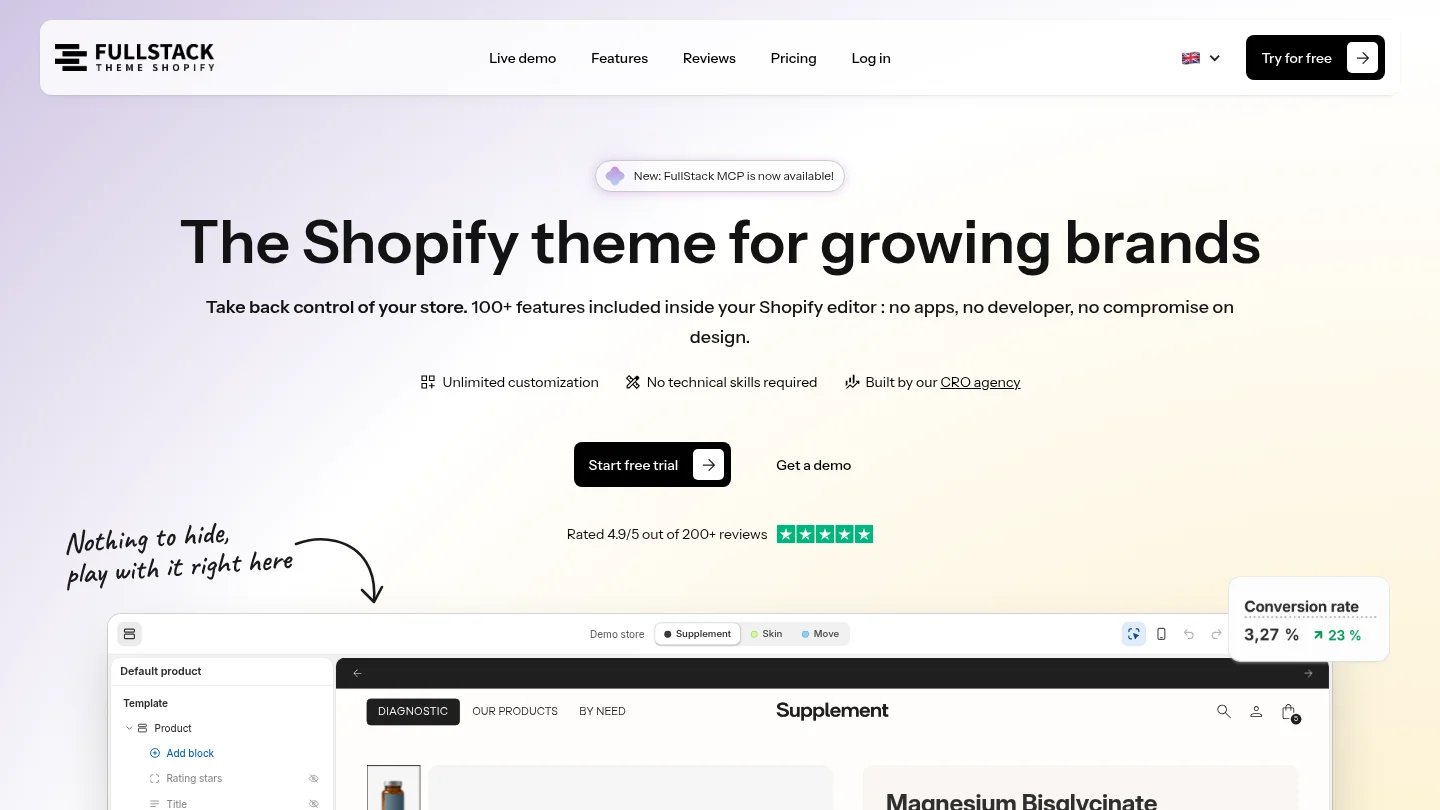
Our theme includes 100+ native features across 35 sections, 44 public blocks, and 12 one-click page templates. Download it from the FullStack Hub, import it into Shopify, and customize it in the native editor. Try the FullStack theme with a 14-day free trial. A credit card is required, and you can cancel during the trial without being charged.
FullStack is a strong fit if you want guided setup and a broad set of built-in features. Dawn is a practical choice if you want to start with a free theme.
Yes. Dawn, Refresh, Craft, Studio, and Taste are free themes. Compare their layouts and included features with your catalog before choosing one.
Many theme settings can be changed in Shopify’s theme editor without editing code. More specialized changes can require additional technical work, so check the theme’s documentation and included features first.
Preview a product page, collection, and cart with your own products and images. Check the experience on a phone, including navigation, product options, and important product details.
A paid theme can be worth considering when its setup resources and included features match your needs. Compare the recurring or one-time cost with the extra functionality you would otherwise need to add.

Replace your apps with one Shopify theme
 4.9/5 · 10,000+ installs
Cancel during the trial and you won't be charged
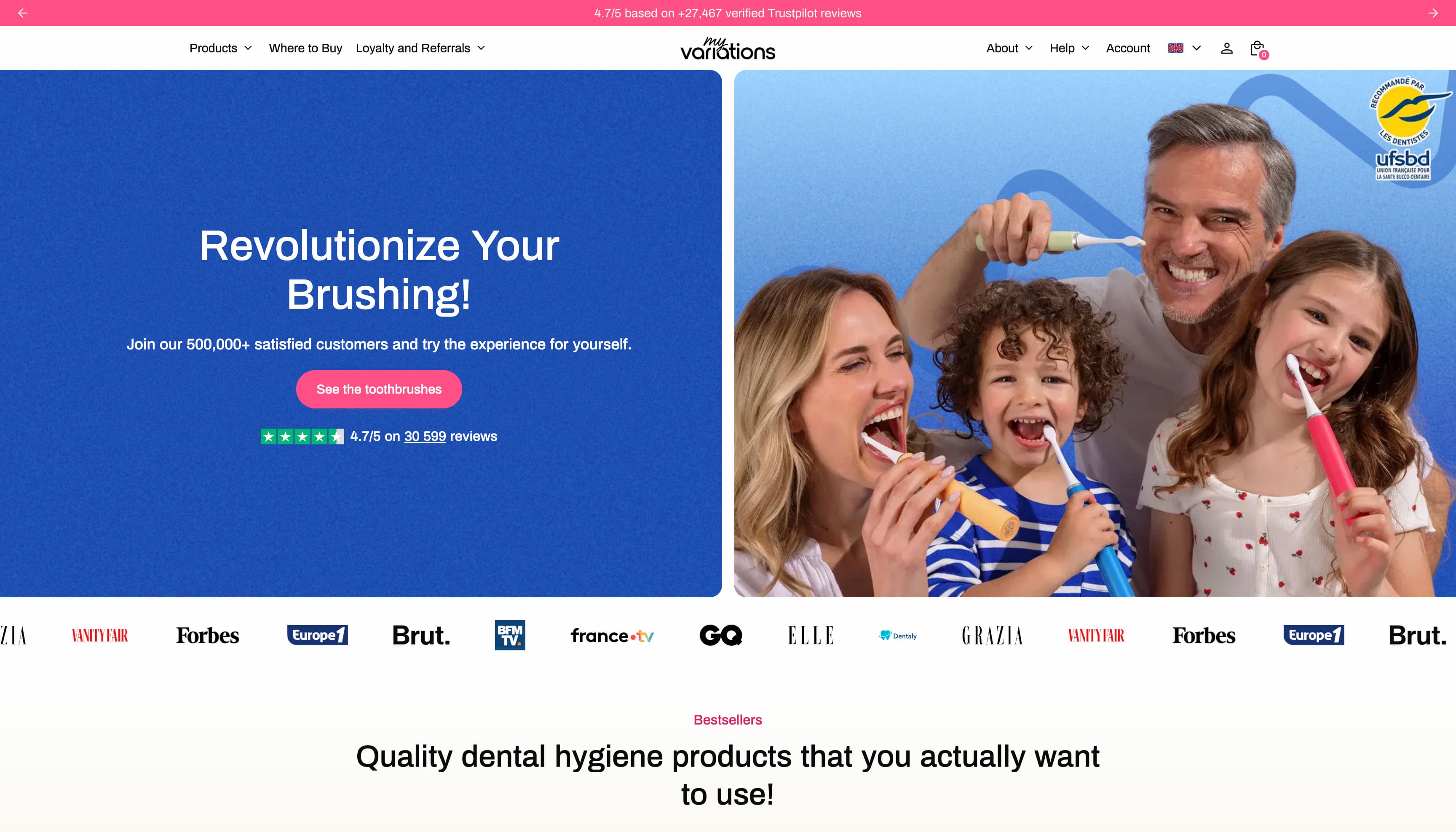
The oral care brand migrates to a technical foundation fully controlled in-house. Fewer apps, more velocity, and a storefront that finally matches the brand's image.
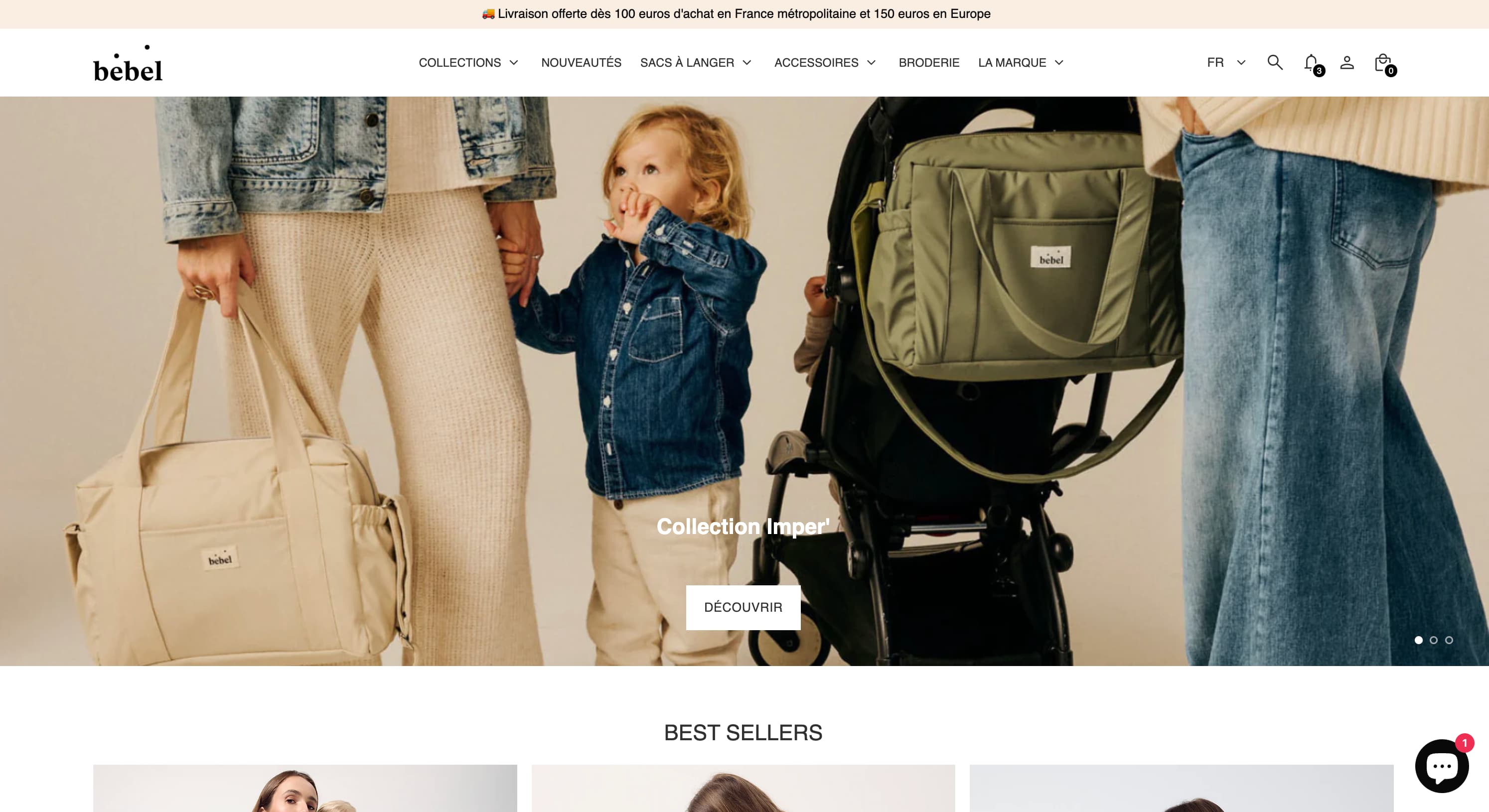
Changing bags, sleep sacks, Oeko-Tex double gauze — a like-for-like rebuild of the made-in-France baby care store on Theme FullStack, delivered by The Deployer.
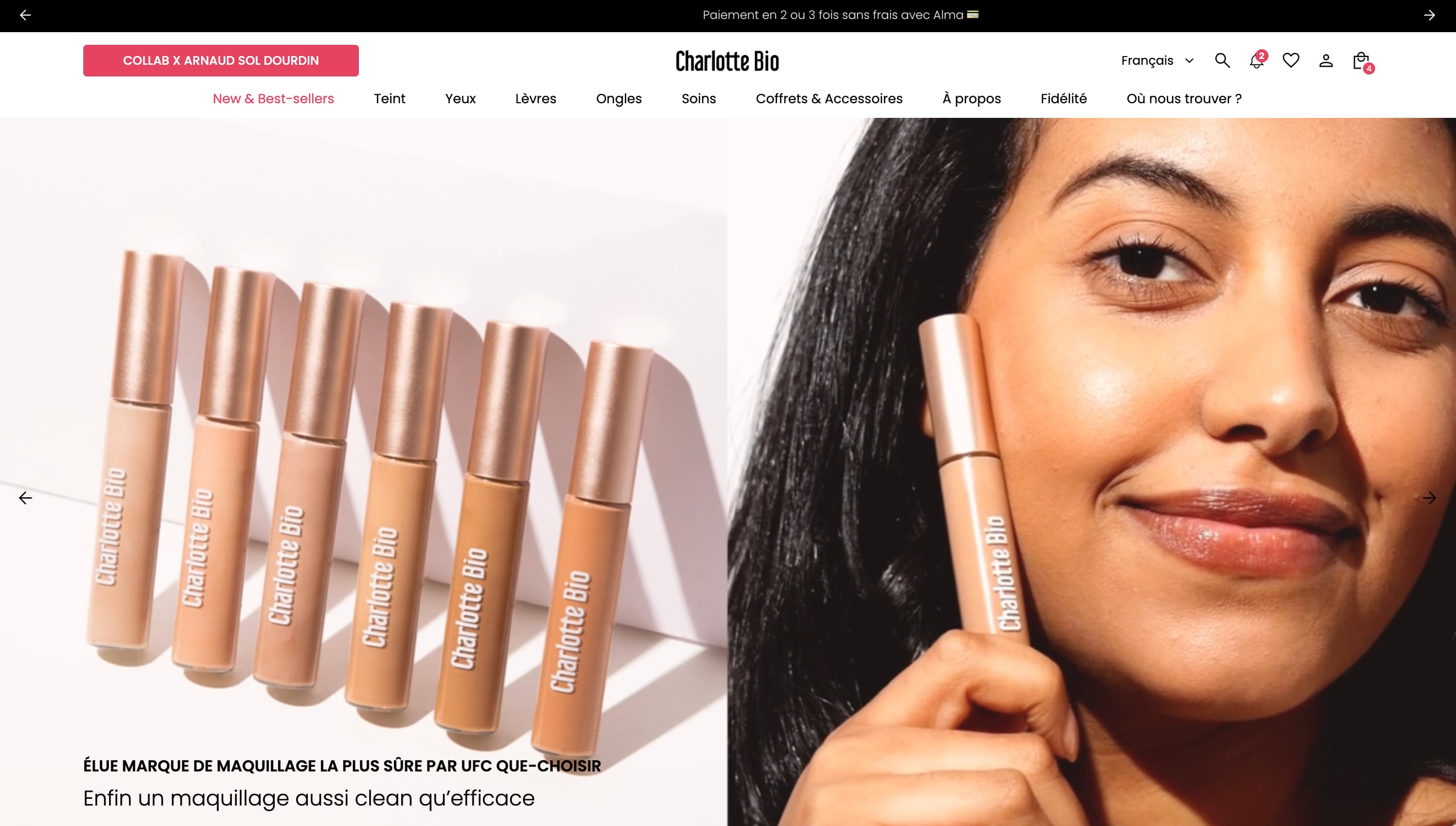
Visual mega menu, custom pack builder, FR/EN/ES internationalization, cart cross-sell — a full redesign on Theme FullStack executed by The Deployer.
Rated 4.9/5 out of 200+ reviews


Rated 4.9/5 out of 200+ reviews