Last updated on October 26, 2026
Compare best shopify themes 2026 by price, native features, catalog tools, design flexibility, and real-world performance to choose a fit.
What matters more than a polished demo? Whether the theme supports your catalog, product story, and buying flow without forcing costly workarounds. The best Shopify themes for 2026 range from free Shopify releases to paid, feature-rich options, but price alone does not predict fit. Our top overall choice, the FullStack theme, combines broad native functionality with CRO-informed merchandising. For a practical checklist before comparing options, read how to choose a Shopify theme.
Store speed is not a fixed property of a theme. It also reflects your apps, custom code, images, and the theme version you run. Shopify’s published field data, updated October 20, 2026, reports real-user Core Web Vitals across qualifying stores. Treat those figures as context, then test the exact storefront you plan to publish.
This is a fit-based shortlist, not a universal performance ranking. The table puts breadth of native tools first, then highlights options for different budgets, brand styles, and catalog needs. Prices are shown in their stated currencies, and unavailable prices remain unlisted.
| Rank | Theme | Price and license | Strongest fit | Notable native capability | Shopify CWV store share* |
|---|---|---|---|---|---|
| 1 | FullStack theme | €24.90 monthly or €199 yearly subscription | Merchants seeking a flexible, feature-rich foundation | 100+ native features, page templates, and Updater V2 | Not listed |
| 2 | Dawn | Free | New stores and lean budgets | Product-focused layouts and no-code customization | 91.5% |
| 3 | Horizon | Free | Merchants wanting flexible blocks and a quick setup | Nested blocks and AI-supported editing | 88.3% |
| 4 | Impulse | $500 USD, one-time purchase | Fashion and promotion-led merchandising | Promotional sections and product discovery tools | 92.7% |
| 5 | Prestige | $400 USD, one-time purchase | Premium visual presentation | High-end layouts and 30+ configurable sections | 93.6% |
| 6 | Impact | $400 USD, one-time purchase | Bold, media-rich storefronts | 35+ sections, quick buy, and sticky add to cart | 92.1% |
| 7 | Expanse | $420 USD, one-time purchase | Large inventories and complex collections | Multi-category filters and promotional sections | 90.3% |
| 8 | Empire | $360 USD, one-time purchase | Large catalogs needing comparison tools | Product comparison and mega menu | 83.6% |
| 9 | Shrine | $149 Shrine or $349 Shrine Pro, one-time | Merchants seeking built-in sales features | Upsell features and flexible layouts | Not listed |
| 10 | Booster Theme | Annual subscription or lifetime license; price not established here | Merchants considering a feature-heavy external theme | Vendor describes native upsell, cross-sell, and urgency tools | Not listed |
| 11 | Turbo | Current price not established here | Stores needing advanced product options | Recent release added high-variant product support | Not listed |
*This is the share of qualifying stores where at least 75% of users had good results across all three Core Web Vitals. Shopify’s snapshot covers the seven days before October 20, 2026, combines device types, and includes stores using one of each theme’s three latest versions with at least 100 daily views. It is not a score for every store or a prediction for your build.
Best for: Merchants who want a wide set of native storefront features, flexible layouts, and included update tools in one subscription.
The current FullStack theme version 2.5.0 includes 100+ native features, 35 sections, and 44 public blocks. Its Group block supports nested blocks and 29 composition presets, so you can reshape layouts instead of being limited to fixed section designs. Product offers, cart tools, filtering, and customizable landing pages are among the included capabilities.
The team behind The Deployer, a Shopify CRO agency in the same group, brings seven years of ecommerce experience, more than 150 store redesigns, and hundreds of A/B tests. Dozens of winning tests have informed theme options, but that agency experience is not a quantified result for every merchant. The theme has more than 10,000 installations and a 4.9/5 rating across 221 Trustpilot reviews, which offer adoption and review context rather than a guarantee of outcomes.
You can also build landing pages within the theme using a free-layout page template. Our Shopify landing page templates are designed for one-click setup. The free FullStack Updater V2 migrates versions, flags custom files, and produces a report without touching the published theme.
Pros
Cons
Best for: First-time merchants and small stores that want a no-cost theme with a straightforward product focus.
Dawn is a free Shopify theme built around product imagery and clean layouts. Its customization settings allow you to adjust the design without editing code. It also includes product discovery and merchandising features such as filtering, swatches, and quick buy, making it a practical starting point for a modest catalog.
Pros
Cons
Best for: New stores that want a free theme with block flexibility and a guided setup.
Horizon is part of Shopify’s free theme collection. Its nested blocks allow more layout flexibility, while Shopify describes AI-supported editing as part of the collection’s setup experience. Product showcases, quick buy, promotional banners, and filtering support common store needs without an upfront theme purchase.
Pros
Cons
Best for: Fashion and lifestyle stores that rely on campaigns, promotions, and product discovery.
Impulse costs $500 USD as a one-time purchase. Its current Shopify listing emphasizes shoppable hero sections, sale banners, and layouts built for fashion and apparel. Promotional tools, filtering, and collection layouts make it a natural fit when shoppers browse several categories or seasonal offers.
Pros
Cons
Best for: Premium brands that want a polished, high-end visual presentation.
Prestige costs $400 USD as a one-time purchase. The theme is designed to foreground brand identity and product imagery, and its listing describes more than 30 configurable sections. That focus suits jewelry, beauty, and fashion stores where the visual treatment is central to the shopping experience.
Pros
Cons
Best for: Brands that want bold visual design with built-in shopping features.
Impact costs $400 USD as a one-time purchase. The theme combines large typography and visual sections with product tools such as quick buy, sticky add to cart, and complementary product suggestions. Its 35+ sections support varied storefront layouts without requiring a separate page builder for every campaign.
Pros
Cons
Best for: Stores with broad inventories that need stronger collection navigation.
Expanse costs $420 USD as a one-time purchase. It is positioned for large inventories and provides multi-category sidebar filters, product recommendations, and promotional sections. These tools matter when customers must narrow a large list to a relevant set of products. Baymard’s product list usability research likewise emphasizes filtering and sorting as important parts of product discovery.
Pros
Cons
Best for: Retailers with large catalogs who want product comparisons and structured navigation.
Empire costs $360 USD as a one-time purchase. Its current Shopify listing highlights advanced filters, shoppable images, a mega menu, and product comparison. Those features can support discovery across broad ranges, including stores where customers weigh similar products before choosing.
Pros
Cons
Best for: Merchants seeking built-in promotional and cart features at a one-time price.
The standard Shrine theme costs $149 USD, while Shrine Pro costs $349 USD. The vendor lists 74 features for Shrine and 128 for Pro, with advanced upsell features in both tiers. It also says the one-time purchase includes free updates for the first year, so check the current terms when comparing longer-term maintenance.
Pros
Cons
Best for: Merchants evaluating an external theme with built-in marketing tools.
Booster is sold outside the Shopify Theme Store. Its vendor describes Online Store 2.0 compatibility, monthly updates, and native tools for upsells, cross-sells, and urgency displays. The vendor offers annual subscription and lifetime license options, but current prices were not established for this comparison.
Pros
Cons
Best for: Stores that need advanced product options and are comfortable purchasing outside the Shopify Theme Store.
Turbo is sold directly by its developer, not through the Shopify Theme Store. Its 11.0.0 release, dated September 11, 2026, added high-variant product support across product pages, quick shop, mini cart, and product grid. A Turbo purchase includes six theme styles, according to the developer’s current purchase information. The current price was not established in this comparison.
Pros
Cons
Start with your own product photos, copy, and variants rather than relying on a polished demo store. Preview a homepage, collection page, product page, and cart on a phone. If your store sells apparel, test color and size selection; if it sells many similar items, test filters and search.
Check loading, interaction, and visual stability, the three dimensions in Google’s Core Web Vitals guidance. Measure both a clean test store and the version with your planned apps and tracking scripts. Lab scores do not capture every real interaction, so check field data after launch too.
Finally, list the features you would otherwise buy through apps or custom development. Compare that list with what the theme includes, then check update frequency, support terms, and license limits. A free theme can be the sensible choice when it covers your needs; a paid theme is more compelling when its included tools fit your actual workflow.
The strongest choice depends on your catalog, brand, and appetite for ongoing tools. Dawn and Horizon are sensible no-cost starting points; Impulse, Prestige, Impact, Expanse, and Empire serve more specific design or merchandising needs. For broader native functionality and flexible layouts, the FullStack theme stands out, with a subscription model and included update tools. Preview your real pages, check licensing, and use performance data as a guide rather than a guarantee. The right Shopify theme for your business is the one that supports your needs without adding avoidable complexity.
If you want one theme foundation for product merchandising, offers, cart features, and landing pages, FullStack brings those tools into Shopify’s native editor. The team behind The Deployer draws on seven years of Shopify CRO work, more than 150 redesigns, and hundreds of A/B tests. That experience informs theme options, not guaranteed results for individual stores.
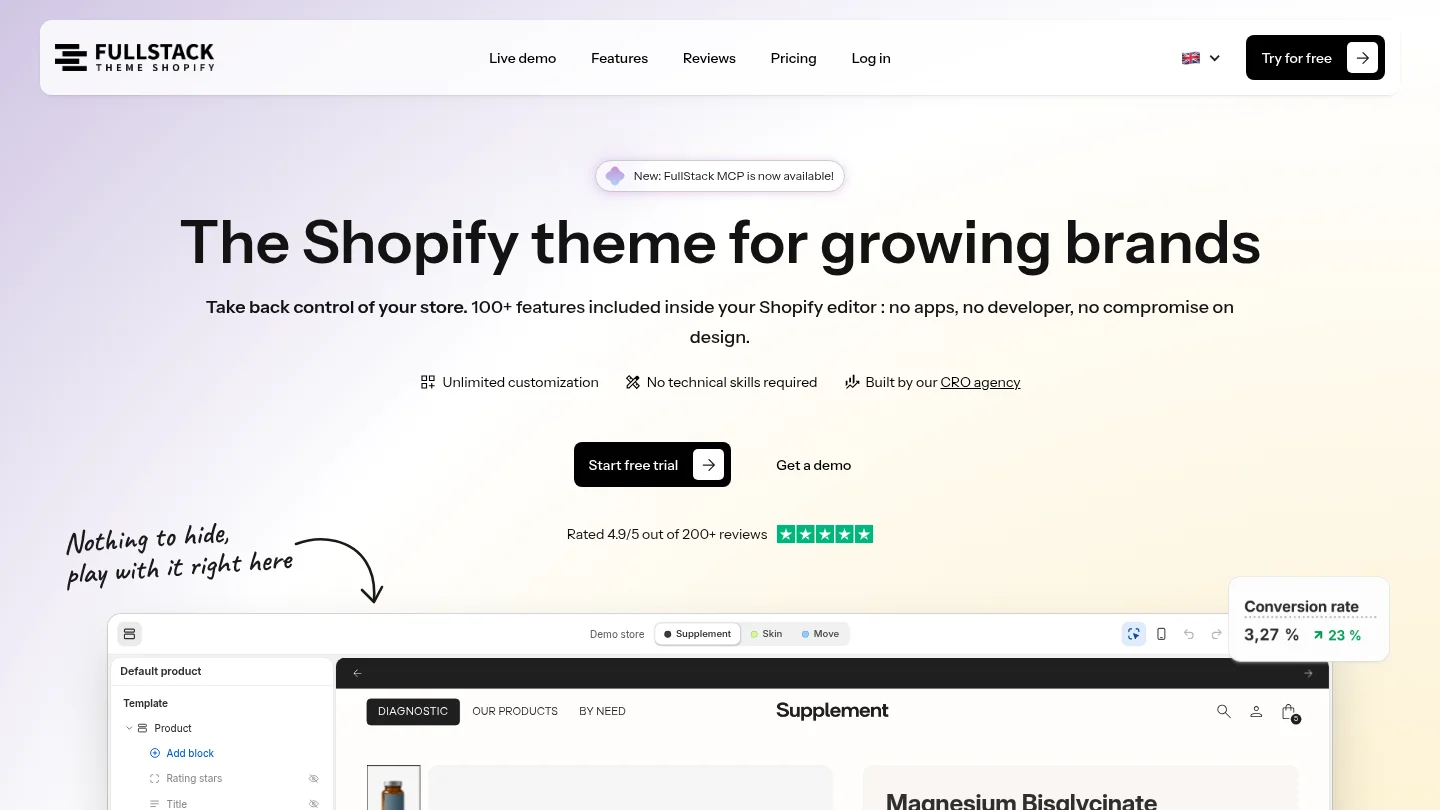
FullStack includes 100+ native features, 12 one-click page templates, training, guides, and FullStack Updater V2. Choose a €24.90 monthly license or €199 annually, with one license covering one store. You can start a 14-day free trial with a credit card; cancel during the trial to avoid a charge. Review our Shopify themes and see whether the subscription model and feature set fit your plans.
Dawn or Horizon are practical starting points if you want to avoid an upfront theme purchase. Choose based on which editor, layout, and product page experience you prefer after testing your own content.
Expanse and Empire emphasize filtering and navigation for broad inventories. Compare their collection pages with your actual product attributes and categories before choosing.
No theme guarantees a sales result. A paid option can include tools that reduce extra app needs, but products, pricing, content, and store setup also shape the buying experience.
Yes, you can preview another theme before publishing it. Plan to rebuild or adjust page layouts and sections, even though your product and collection data remain in Shopify.
Test your own storefront on mobile with its images, apps, and tracking scripts enabled. Use field data alongside lab tools, since theme code is only one factor affecting real store performance.
Rated 4.9/5 out of 200+ reviews






