icon wand stars

Feature

Navigation

Shopify theme with Zoom on product carousel images

The Fullstack theme offers over 100 features, distributed across more than 40 sections and over 60 blocks. All this, without compromising your brand's visual identity.
Shopify theme with Zoom on product carousel images

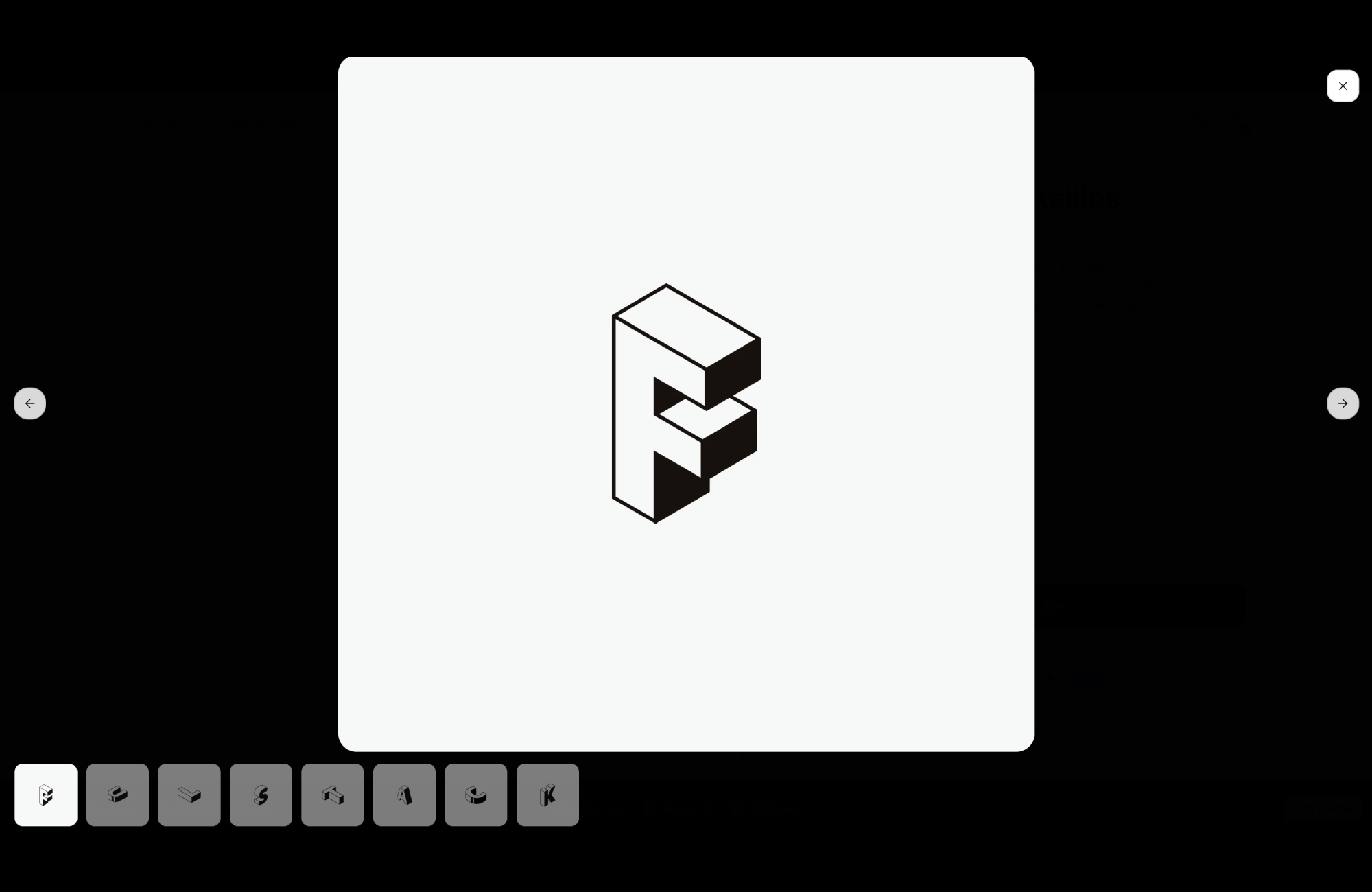
A Shopify theme with zoom on product carousel images lets shoppers click a photo on the product page to see it large, full screen, and browse every image of the product without leaving the page. In FullStack, zoom is a checkbox on the media gallery: no app, no code.
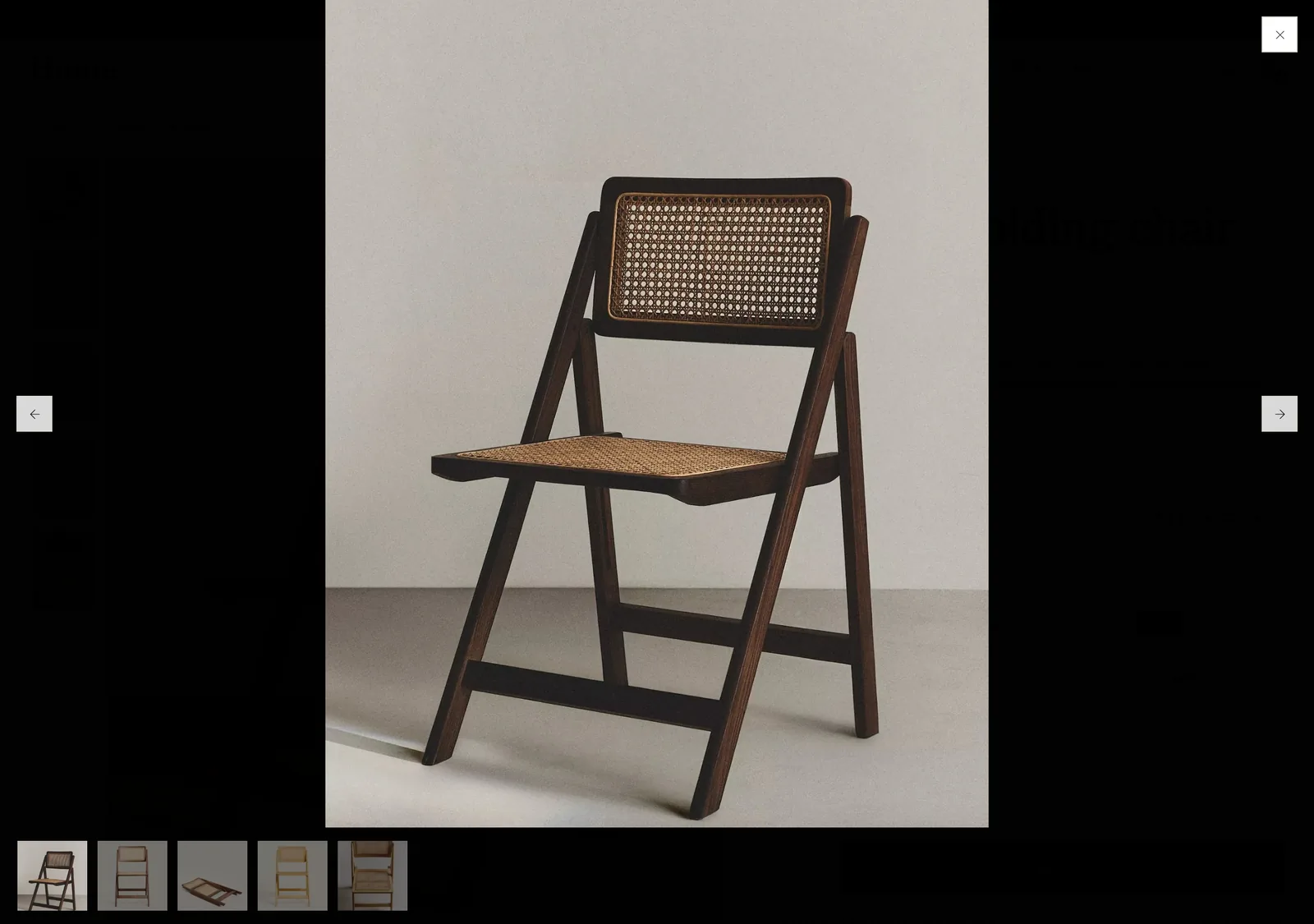
Full-screen zoom on a product image in the FullStack demo store: large photo of a chair, navigation arrows, close button and thumbnails at the bottom
On the FullStack demo store (Home): the clicked image opens full screen, with arrows, a close button and thumbnails of every product photo.

Why zoom matters on a product page

Online, shoppers cannot touch or turn the product over. Their eyes do all the work: the texture of a fabric, the finish of the wood, the detail of a seam, the caning on a chair. At regular size, those details are often too small to reassure anyone.

Zoom answers that need to inspect. It is especially useful for products where quality shows (furniture, fashion, jewelry, leather goods) and for technical products whose label or composition must be readable. A shopper who could check what worried them has no reason to leave the page to hunt for more photos elsewhere.

How zoom works in FullStack

The setting lives in the Media gallery block of the Product section: tick Enable zoom (enable_zoom), off by default. The same gallery, with the same setting, is used by the Featured product section.

On the demo store, it behaves like this:

  • clicking an image in the gallery opens a full-screen window, right on the clicked image;
  • when the product has several media, arrows move from one image to the next, and a row of thumbnails at the bottom gives access to every photo;
  • the left and right keyboard arrows also browse the images;
  • the window closes with the button in the top right corner or by clicking outside the image.

Zoom stacks with the gallery’s other settings, which stay active:

  • Media display (media_display): carousel, or a one or two column grid. On mobile, the carousel is used even in grid mode.
  • Media ratio (media_ratio): square, portrait, landscape or adapted to the image.
  • Thumbnails (show_thumbnails) and their position (thumbnails_position): bottom, left or right.
  • Hide other variants (hide_variants): the gallery only shows images of the selected variant.
  • Peek at the next image on mobile (show_a_bit_of_next_image_on_mobile), arrows, pagination and badges.

What zoom works with in FullStack

  • Color swatches and variants: with hide_variants, shoppers select a colorway and then zoom into the photos of that exact colorway.
  • Videos in the gallery: the gallery also takes videos, played on loop, with or without controls.
  • Featured product: the featured product section uses the same gallery, so you can offer zoom on the home page or a landing page.

Examples by store type

Furniture and decor: the material

Carousel with thumbnails, portrait ratio, zoom on. Add detail shots (caning, joinery, wood grain): those are the ones shoppers will open full screen.

Fashion: cut and fabric

Two-column grid on desktop to show everything at once, hide_variants on, zoom on to inspect the knit or finishing of the chosen colorway.

Skincare and supplements: the label

Include a sharp photo of the ingredient list or the label. With zoom, it becomes readable full screen, which saves a question to customer support.

Best practices

  • Use high-resolution images: zoom shows off a great photo, but it also exposes a blurry one.
  • Plan at least one or two detail shots per product, made for full screen.
  • Pick your first image carefully: it is the one used in grids and shares, the photo that sells.
  • For products with many colorways, turn on hide_variants so zoom stays focused on the chosen variant.

Limits to know

Zoom shows your images as you uploaded them to Shopify: it cannot create detail that is not in the photo. Image order is set on the Shopify product page. FullStack licensing and the free trial are on the pricing page.

FAQ

How do I turn on zoom for product images?

In the theme editor, open the Product section, select the Media gallery block and tick “Enable zoom”.

Does zoom work with a grid gallery?

Yes, the setting belongs to the gallery itself, whichever display mode you choose (carousel or grid).

Do I need a zoom app?

No. Zoom is built into the FullStack media gallery and turns on with a single checkbox.

Discover other features

Compare FullStack: Dawn · Horizon · Shrine · Booster · Debutify · Elixir · Elevate · Hyperflow · Phantom · Rocket

They built their store with FullStack

Rated 4.9/5 out of 200+ reviews

stars-5

The best rated Shopify theme

Discover the feedback from our incredible customers who are performing better, every day.
stars-5
It really is the best Shopify theme.
This theme includes so many features that you will hardly need external paid apps, which will lighten your site, increase its speed, avoid and above all save you money.

In addition, the customer service is just top notch, they respond quickly and very, very effectively to any question and it's just great to be supported like that when you launch your store.
‍
I even have the feeling that the theme is not expensive enough considering everything it offers.
Matheo B
August 10, 2025
stars-5
A 10/10 in terms of quality of exchange and service for the support team; it is more than a pleasure to call on them (almost like wanting to create problems on purpose to discuss 🤣).
‍
And, honestly, I have rarely seen a theme as crazy as the one they offer us; V2.0 🤩.
‍
Thanks for everything.
Tessa V
Nov 17, 2025
stars-5
“I would have liked to know this theme sooner in person... it's a huge time-saver.

The theme is optimized as possible, it looks very professional and it is so intuitive!

But I would still like to highlight customer support. Never seen such quick feedback (my question sent by email at 6 pm, an answer the same evening).

So thanks to Nezha who was efficient and super fast, she solved my problems in no time and especially her little word of encouragement warmed my heart and boosted me [...]”
Jade B
Sep 21, 2025
stars-5
“Frankly, top theme 👌

Super well designed, easy to learn even for beginners.

The team is very responsive, we always get quick feedback and that makes creating the site a lot easier.

Really a big plus, I recommend without hesitation!”
Feriel
Sep 18, 2025
stars-5
I am really impressed by this theme! It is super intuitive, easy to handle and above all very aesthetic. We feel that everything has been designed to facilitate the creation of the site: the functionalities are numerous, useful, and very well integrated.

A huge strength: customer service. A big thank you to Nehza, who answered all my questions with incredible responsiveness. Always available, very professional and really effective. We feel that they are taking the time to help!

I recommend 100% 🔥🚀
Claire C
Nov 25, 2025
stars-5
“It's clearly the best Shopify theme I've ever seen. Even though the previous version was great, 2.0 is a glitch! Thanks for the flexboxes 💜

The theme is super well built, very easy to use, with many clear tutorials, full of features that normally require the installation of applications. There is even a “Design System” section to make it easier for us to configure colors, fonts, etc.

Even their team is super responsive, if necessary they are really attentive. In short, there is so much to say, just remember that it is a complete theme that will allow you to save time and especially money! Thanks again 🏾”
Fatou D
Oct 10, 2025
stars-5
“My experience with Fullstack has been super positive!

This is not the first time I have used Shopify, but the other themes are quite limited in terms of possibilities and customer experience.

The Fullstack theme met all my expectations, especially on all the features I wanted for my site!

And the customer service is just top notch, as soon as you have a question, you have an answer in less than 12 hours, the service is super responsive and very professional!”
Mégane K
Oct 9, 2025
stars-5
The experience with Fullstack is great!
‍
This is my first time using Shopify, and the theme is well built to be intuitive.

And the customer support is just at the top, for all questions, the service is super responsive and very professional, the answer always arrives within 24 hours!
Geoffrey S
Nov 12, 2025
stars-5
I am thrilled with the Fullstack theme!
The design is modern, fluid and is exactly what I was looking for, best investment.

But what really makes the difference is their support: highly responsive, patient, professional and very kind. I was guided and supported on several points, and everything was resolved quickly.
‍
I 100% recommend it to anyone looking for a reliable theme, and especially well-followed!
Rahma M
August 1, 2025
stars-5
“It's clearly the best Shopify theme I've ever seen. Even though the previous version was great, 2.0 is a glitch! Thanks for the flexboxes 💜
‍
Very good theme. Truly high-quality service from passionate people who respond quickly to our questions.
‍
A big thank you to Nezha for her help and valuable advice :)
KT
Oct 10, 2025
stars-5
It's “THE” Shopify theme! This version 2 is at the top

The theme is very easy to learn, with clear tutorials.

The team is efficient and responsive

Thanks again to the Fullstackers
Prêtes à briller
Oct 24, 2025
stars-5
Very very good theme honestly the quality/price ratio is great, a lot of features perfect for creating different shops.
‍
The customer service is top notch.
Auguste
Oct 28, 2025
stars-5
I want to thank the Fullstack team for their professionalism and exemplary responsiveness. To each question, I received a quick, clear and above all human answer.

You feel a real benevolence behind their support, and that makes all the difference when you embark on a project like mine.

Thank you for your support, your listening and your efficiency. That's exactly what you need to move forward with confidence 💖
Chapey
Jul 25, 2025
stars-5
Great experience:
- simple installation
- a product that is both complete and accessible
- exceptional designs
- details to help us integrate cross-sells
- a harmony that is created automatically
- Short template at the top and at a lower cost
Matthieu C
Dec 4, 2025
stars-5
“A serious company, a team available for any questions and responsive. We know why we are taking this service, we are not lost in nature, the quality is there!

I tried to get started with the free Dawn theme and I had so much trouble with all the applications to install... switching to full stack, it's day and night: I save time on everything because everything is clear and optimized.

Time is money, I would have liked to have known them before...”
Sarah
Sep 9, 2025
icon arrow back
icon arrow forward

Rated 4.9/5 out of 200+ reviews

stars-5

Tired of being limited by your theme ?

We created the best Shopify theme on the market, that's it.
icon dashboard customize
Easy to pick up
5-minutes setup
icon design services
No code needed