Save 20€/month
Block
Conversion
The Fullstack theme offers over 100 features, distributed across more than 40 sections and over 60 blocks. All this, without compromising your brand's visual identity.
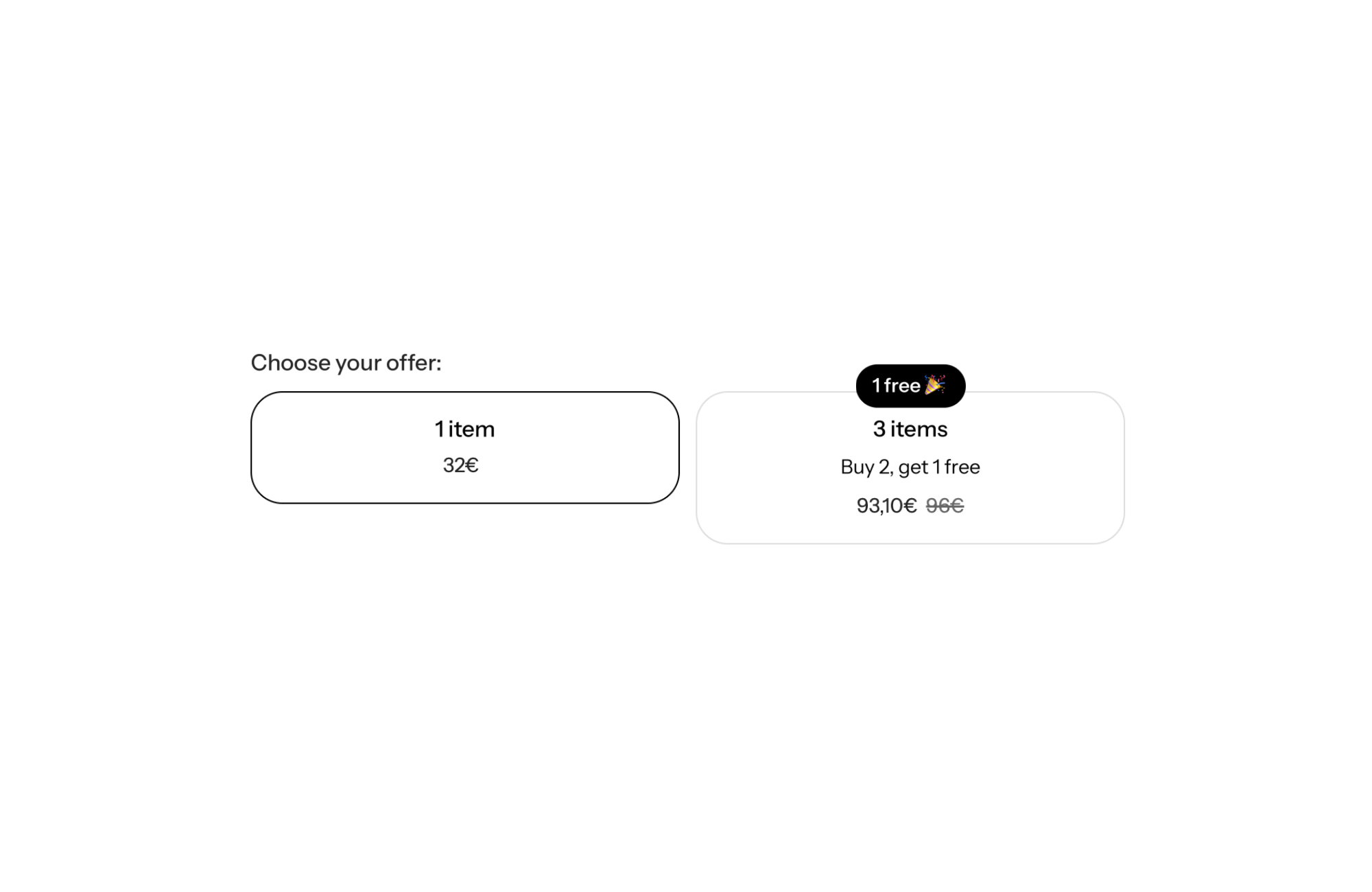
A Shopify theme with a built-in “Buy X Get Y” offer shows a deal like “buy 2, get 1 free” right inside the product form: clickable cards per quantity, a badge on the offer you want to push and a recalculated price. Shoppers see the benefit while choosing their quantity, with no discount code to hunt for and no widget layered over your design.
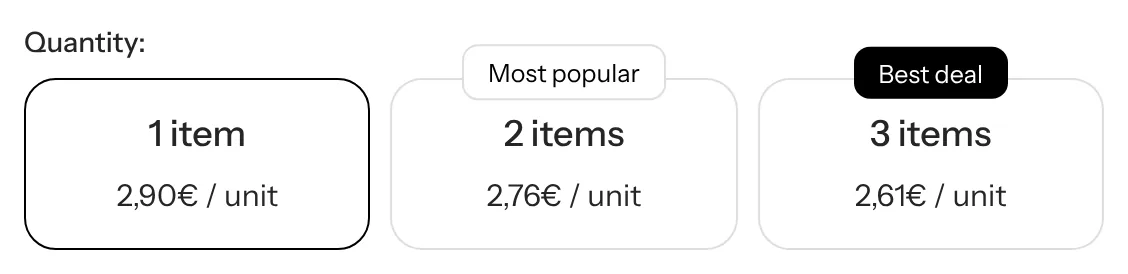
“One free” lands harder than a percentage: shoppers instantly get what they earn, in actual units. For a product people use up or give as a gift, going from 1 to 3 units becomes an easy call, and your average order value goes up without cutting your list price.
The offer still has to show up in the right place. Announced in a banner but missing from the product page, it gets forgotten. Shown next to the quantity choice, with the final price, it gets picked in one click.
In your product template, open the Product section, expand the Product form block and insert a Buy X Get Y block, available in two display styles. It is a preset of the quantity tiers block: a container holding one offer per tier. The column preset ships with two offers, 1 unit with no discount and 3 units with an amount discount and a badge.
Container settings:
Settings for each offer:
One limit to know: if you turn on the per-unit variant picker (show_variant_picker), the layout switches to rows and the Subscription and Variant picker blocks are hidden.
One offer at 1 unit with no discount (discount_type set to none), one at 3 units with an amount discount equal to the price of one bag, and a “1 free” badge overlapping the card.
On the 2-unit offer, fill cross_sell_products with a travel size: shoppers see the free product right inside the offer card.
Three offers at most, a single badge on the one you push, and the unit price shown so the saving is easy to read.
The block only handles the visible side of the offer: it does not apply the discount. You need to create a “Buy X get Y” discount in Shopify, under Discounts, with matching conditions. You do not need a bundle app for the display though: the block is native to the theme and included in the license described on the pricing page.
No. It displays the offer. The discount itself is created in Shopify as an automatic “Buy X get Y” discount.
Yes, with the offer’s Free products setting (cross_sell_products). Set up the matching Shopify discount on that product.
Yes. The applies_to setting decides whether the offer covers one-time purchases, subscriptions or both, as long as the discounts exist in Shopify.
Rated 4.9/5 out of 200+ reviews



Rated 4.9/5 out of 200+ reviews