Save 5€/month
Block
Conversion
The Fullstack theme offers over 100 features, distributed across more than 40 sections and over 60 blocks. All this, without compromising your brand's visual identity.
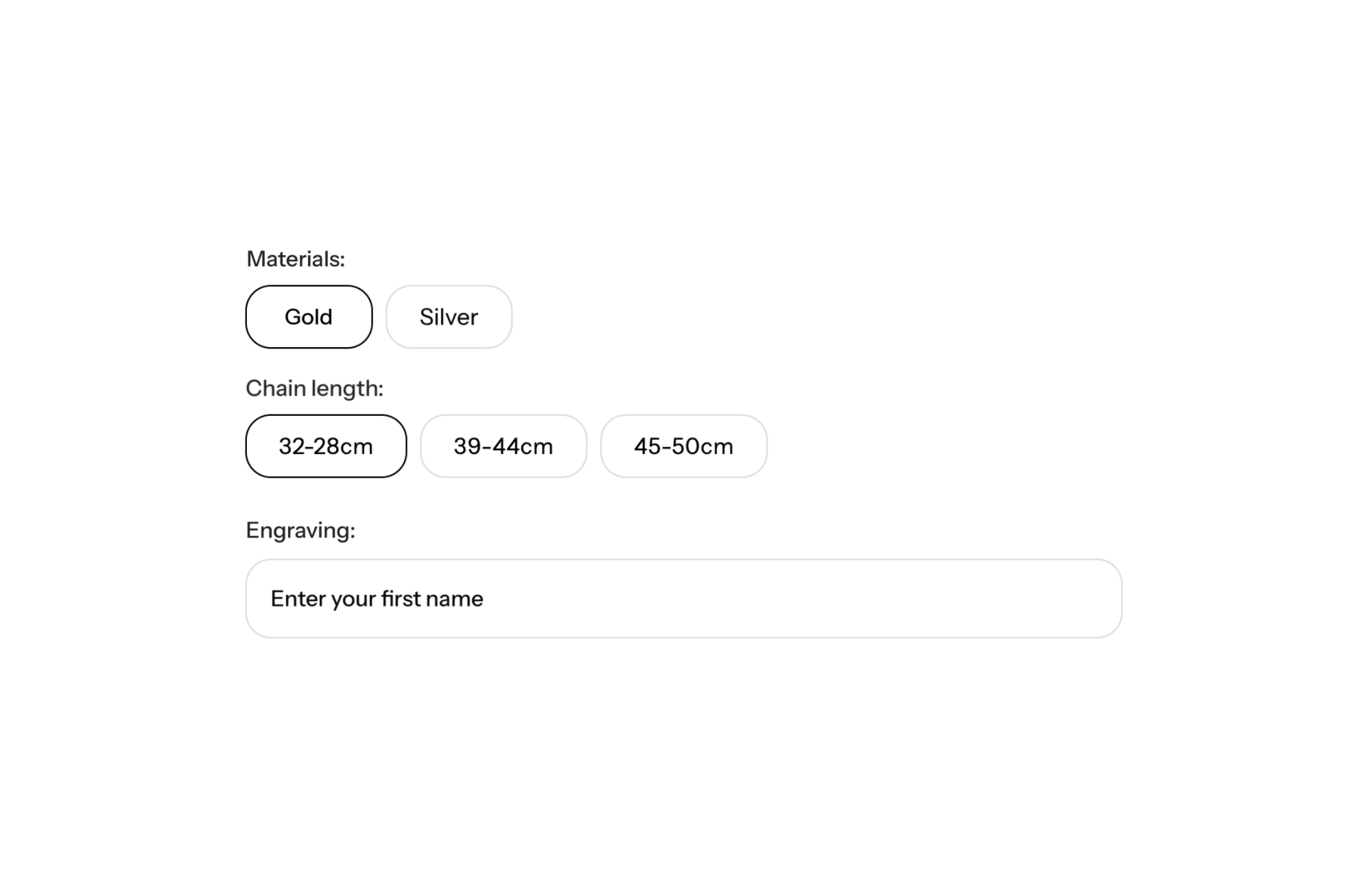
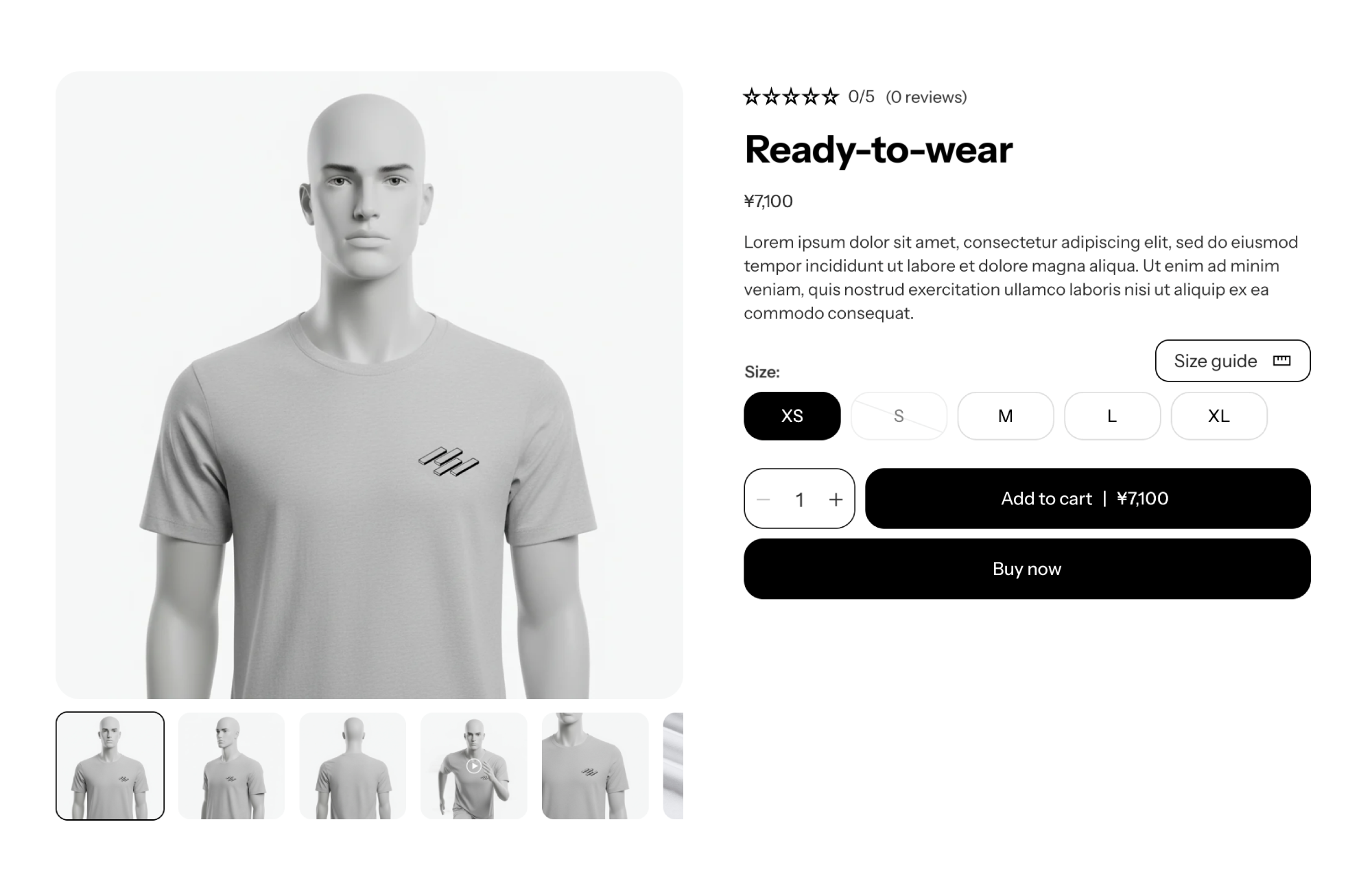
A Shopify theme with custom fields in the add to cart form lets shoppers type text right on the product page: a name to engrave, a gift card message, an initial to embroider. What they enter follows the item into the cart and then the order, and you’ll find it in your Shopify admin. In FullStack, this is the native Custom field block, no personalization app required.
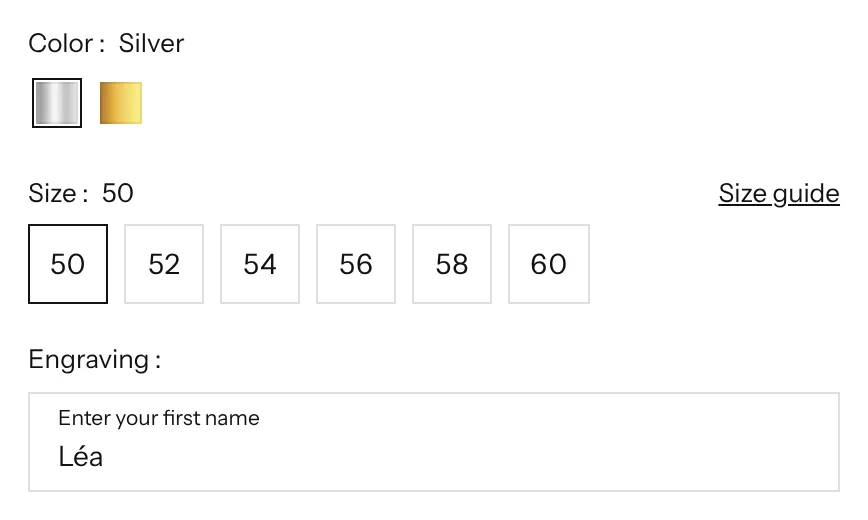
Personalization turns a standard product into a one-of-a-kind item, and it’s often what makes the sale, especially for gifts. But if customers have to email you after ordering to say which name to engrave, you lose time, you risk mistakes, and some shoppers don’t buy at all because they can’t see how to do it.
A field inside the form settles everything at the moment of purchase: the shopper picks the model, types the text, adds to cart. The information is attached to the order line, with no back-and-forth emails and nothing forgotten.
The Custom field block goes inside the Product form block of the Product section, before the add to cart button. Its settings:
The text entered is saved as a line item property: it shows up in the cart, the order and confirmation emails, under the label you chose.
The product form holds several blocks, in the order you choose:
Label “Engraving”, placeholder “Enter your first name”, maximum length matched to the engravable area. That’s the setup of the demo store above.
Label “Gift card message”, optional field, a higher maximum length to leave room for a sentence.
Label “Your initials”, required only on personalized products, maximum length of 3 characters.
The custom field is a single-line text input: it doesn’t handle file uploads or a visual preview of the personalization on the product, and it doesn’t change the price. For those needs, you’ll still need a personalization app. Also avoid combining a required field with a desktop-only or mobile-only display setting: that combination can cause add to cart issues (this display setting is set to be removed from the block in version 2.6.0). To offer gift wrapping as a checkbox add-on, see one-click cross-sells. License details are on the pricing page.
In the order details in your Shopify admin, under the field’s label. It also appears in the cart and in emails.
Yes, with the required setting. Shoppers then have to fill it in to add the product to their cart.
Yes, with a minimum and a maximum length, 30 characters by default.
Rated 4.9/5 out of 200+ reviews



Rated 4.9/5 out of 200+ reviews