Save €5/month
Block
Conversion
The Fullstack theme offers over 100 features, distributed across more than 40 sections and over 60 blocks. All this, without compromising your brand's visual identity.
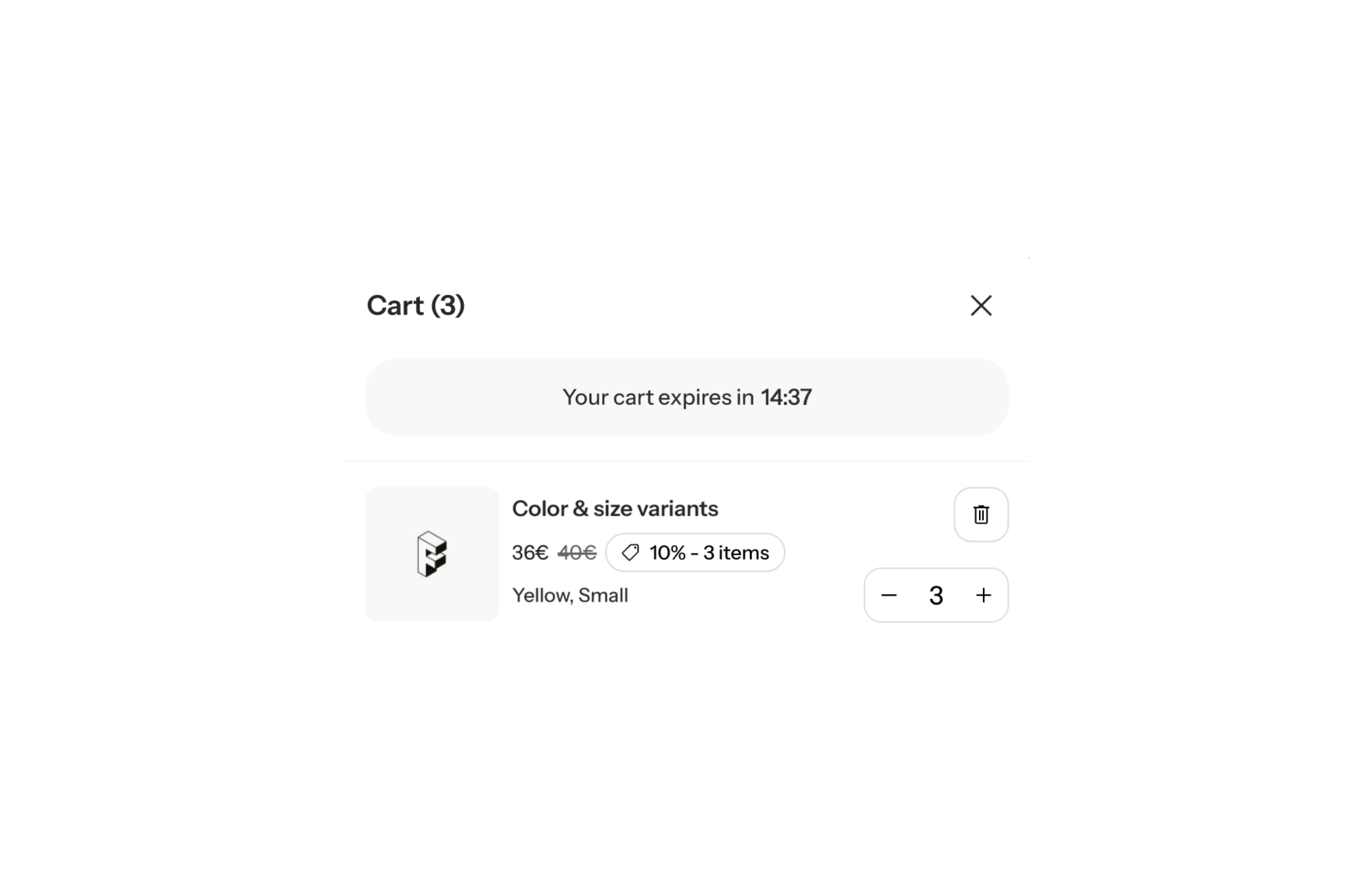
A Shopify theme with a cart expiration timer shows a reservation countdown at the top of the cart: “your cart is reserved for 15 minutes”. In FullStack it is a native cart block, adjustable from 1 to 60 minutes, that can either empty the cart when time runs out or simply show a message. Used well, it reminds shoppers that a decision is waiting. Used carelessly, it erodes trust.
The cart is where shoppers hesitate most. They compare, open another tab, decide to come back later. A reservation countdown puts a frame around that hesitation, and it is genuinely useful when stock really is tight: a drop, a limited edition, ticketing, a short production run.
The downside is well known: artificial urgency is the most divisive tactic in ecommerce. If visitors realize nothing is actually being held for them, or see the same timer on every visit to a catalog that never sells out, they stop trusting everything else on your store. The right use is targeted and honest: a timer when the pressure is real, and a rule stated plainly in the copy.
The Cart reservation timer block (cart_reservation_timer) lives in the cart’s block zones. The recommended spot is the cart header zone: the very top of the cart drawer and just under the “Cart” title on the cart page. Note that the cart page and the cart drawer each have their own instance, so configuring one does not change the other. The drawer itself is enabled through the theme’s cart type setting set to “drawer”.
Main settings:
Watch the default: the cart is cleared at zero. Uncheck it deliberately if you only want the reminder without the penalty.
The cart header zone accepts other blocks alongside the timer: text, cart progress bar, countdown, review badge, information slider, separator and slider. The most useful pairings:
Keep it lean: the cart header is a hallway to checkout. One element, two at most.
The textbook legitimate case. Set 10 to 15 minutes, keep cart clearing on, and make the copy own the rule: “Your cart is held for 15 minutes, then these pieces go back on sale.” Shoppers know exactly what to expect.
When seats are genuinely limited, a short window makes sense. Put the timer on its own in the cart header, inside a card (wrap_in_card) with a contrasting color scheme so it is read at a glance.
During a high-demand period you can show the timer without clearing the cart: uncheck clear_cart_on_expire and write a neutral expired message. On a standard, always-in-stock catalog, remove the block when the campaign ends rather than leaving it up year-round.
The block acts on the visitor’s cart: it shows the countdown and can empty the cart. It does not hold inventory in Shopify, where items sitting in a cart are not reserved from other shoppers. It is not a countdown to a date either: for an offer deadline, use the Countdown block. The timer and every other cart block are included in the theme license, see the pricing page.
Yes, that is the default behavior (clear_cart_on_expire checked). If you uncheck it, the cart is kept and the expired text replaces the countdown.
In the cart’s block zones, ideally the header zone. Add it to both the cart page and the cart drawer if you use both, since each location has its own settings.
The cart timer counts down a short window, from 1 to 60 minutes, and can clear the cart. The Countdown block targets a fixed date to announce the end of an offer, with no effect on the cart.
Rated 4.9/5 out of 200+ reviews



Rated 4.9/5 out of 200+ reviews