Save €9/month
Block
Conversion
The Fullstack theme offers over 100 features, distributed across more than 40 sections and over 60 blocks. All this, without compromising your brand's visual identity.
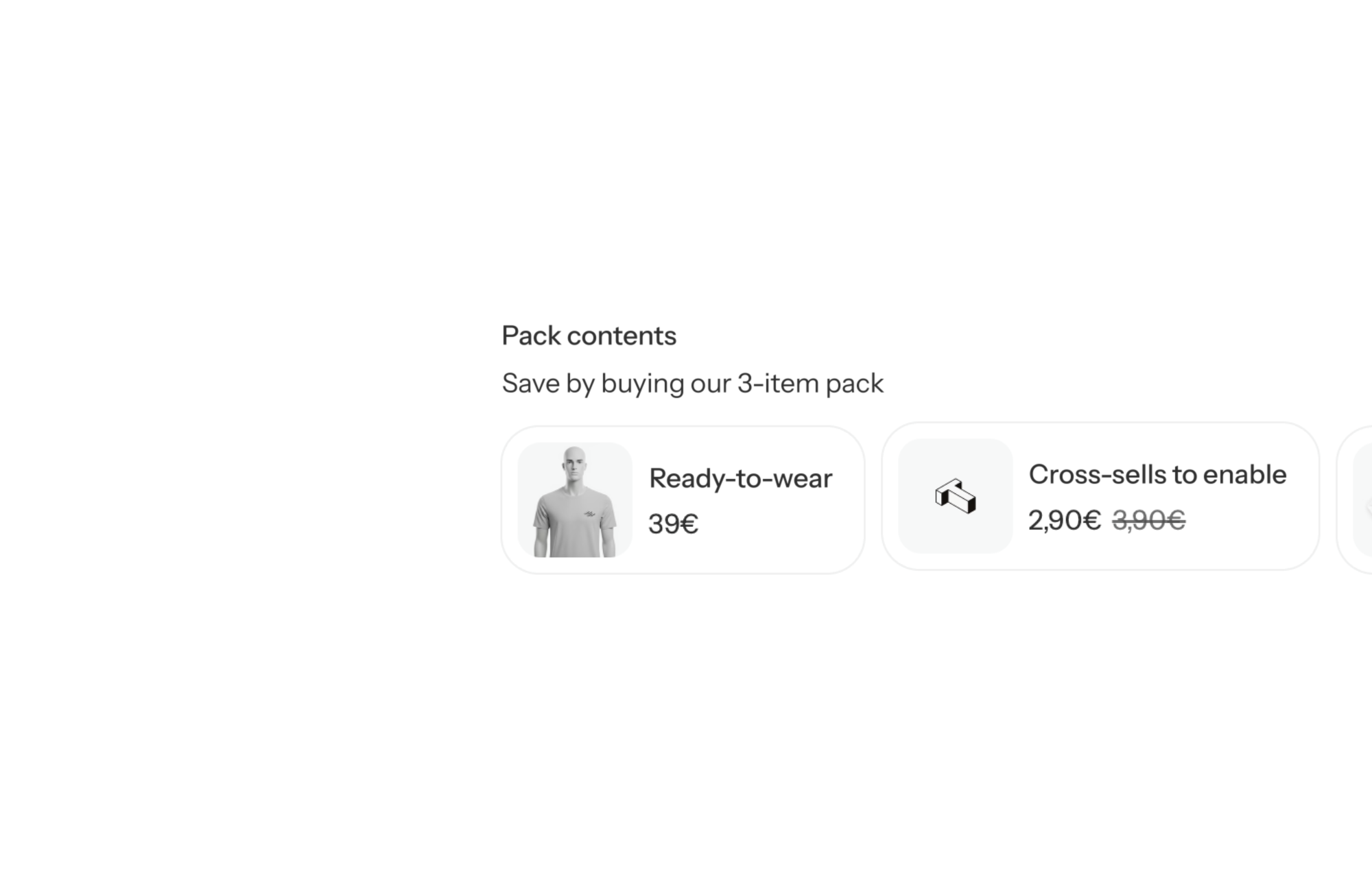
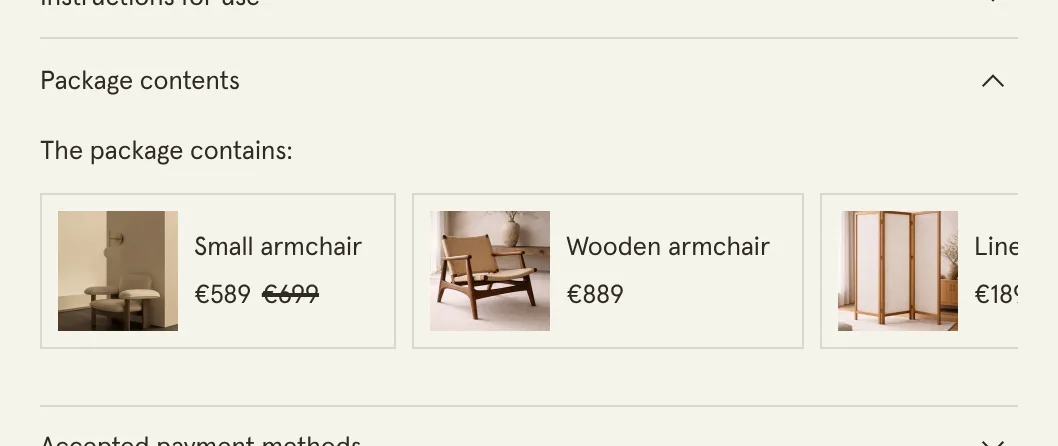
A Shopify theme with “this pack contains” lets you break down, right on a bundle’s product page, every item included in it, with its image and price. Shoppers no longer face a vague bundle with one total price: they see exactly what they get. That clarity turns a bundle into a perceived deal, and a perceived deal is what drives the purchase.
When people look at a bundle, they always ask two things: what is inside, and am I actually saving money? If the answer is not on the page, they have to dig for it, open other product pages and do mental math. Most will not bother, and they leave.
Showing each item with its individual price proves the savings better than a discount percentage ever can. Shoppers add it up themselves and see the gap with the bundle price. It also removes doubt about what the offer includes, which means fewer surprises when the parcel arrives.
The block sits in the Product section of your product page. It is made of:
Every mini card is configured with simple controls:
You can also show the block on desktop only, mobile only, or both (show_on_display).
Add a “Parcel contents” accordion and drop the block inside. One mini card per piece, display_mode set to row, show_price on: shoppers see each piece and its price, just like on the demo store.
Cleanser, serum, cream: one mini card per step. Use each card’s title field to state the size (“Serum 30 ml”), and the block description for the order of use.
For a T-shirt multipack where shoppers pick each size, combine quantity breaks with the per-unit variant picker and a “This pack contains” block showing the styles included. Turn off link_to_product to keep shoppers on the bundle page.
You do not need a bundle app just to show what a pack contains: the block is native to the theme and set up in the editor. It displays the contents, it does not calculate pricing or manage inventory. For bundles where shoppers pick their own variants, check out product packages with variants. Everything included in the license is on the pricing page.
No. You add one mini card per item and pick the product in each. If the bundle changes, update the list.
No. It shows the contents. The bundle’s price and stock stay those of the product in Shopify.
In the Product section, ideally inside an accordion. Shoppers who want the details open it, and the page stays light.
Rated 4.9/5 out of 200+ reviews



Rated 4.9/5 out of 200+ reviews