Last updated on October 26, 2026
PageFly vs FullStack: compare speed, CRO features and real cost to decide between a page builder app and an all-in-one Shopify theme for your store in 2026.
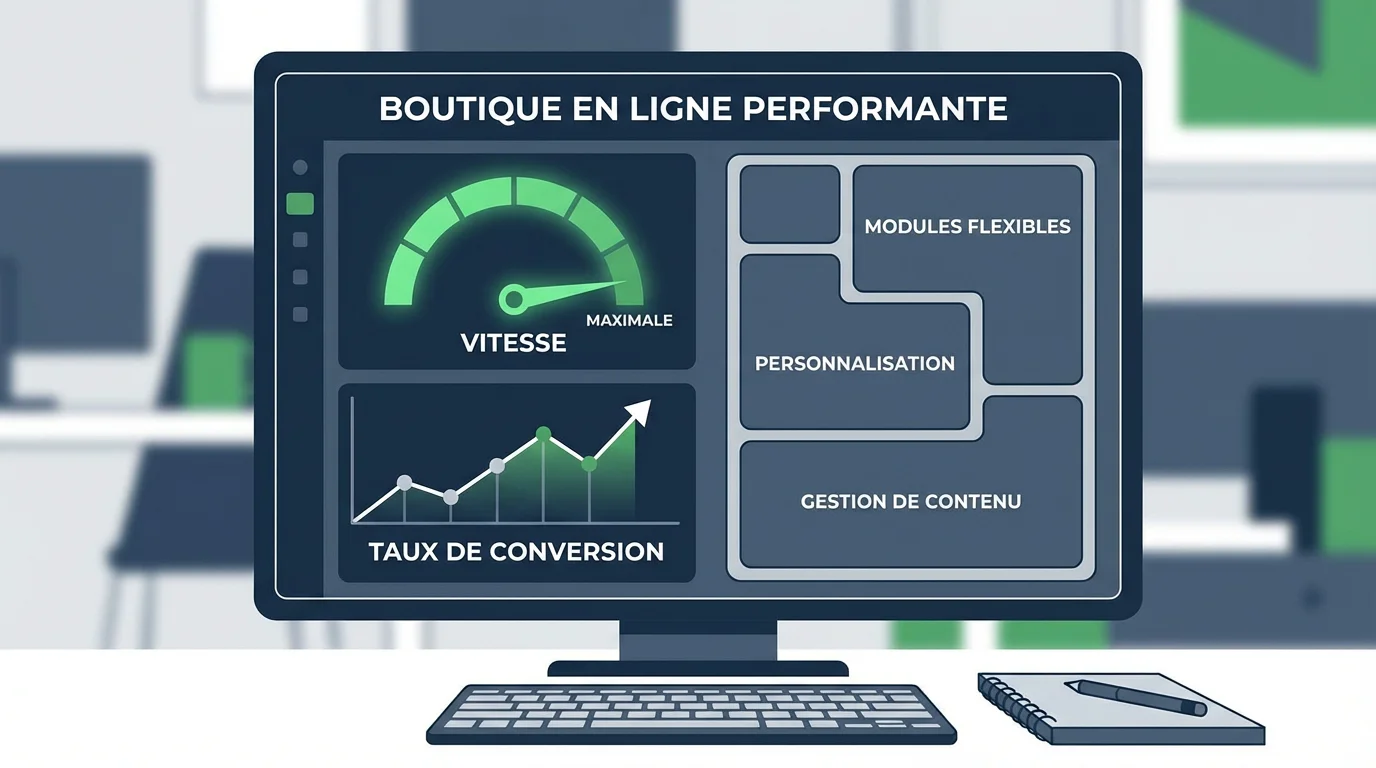
Summary: The FullStack theme ships with 100+ native features built for conversion, while PageFly adds an external layer on top of your theme, with a potential hit to page speed and a recurring cost starting at $24/month.
Every extra second of load time can cut your conversions by 7%, according to Cloudflare. With the average ecommerce conversion rate hovering between 2% and 3%, the tool you use to build and optimize your pages becomes a strategic decision. That is exactly the dilemma behind PageFly vs FullStack.
On one side, one of the most popular external page builders on the Shopify App Store. On the other, an all-in-one theme designed for conversion, with no third-party app required. Two radically different approaches, one shared goal: turning visitors into buyers. Let's break down their strengths, their limits and what they really mean for your store.
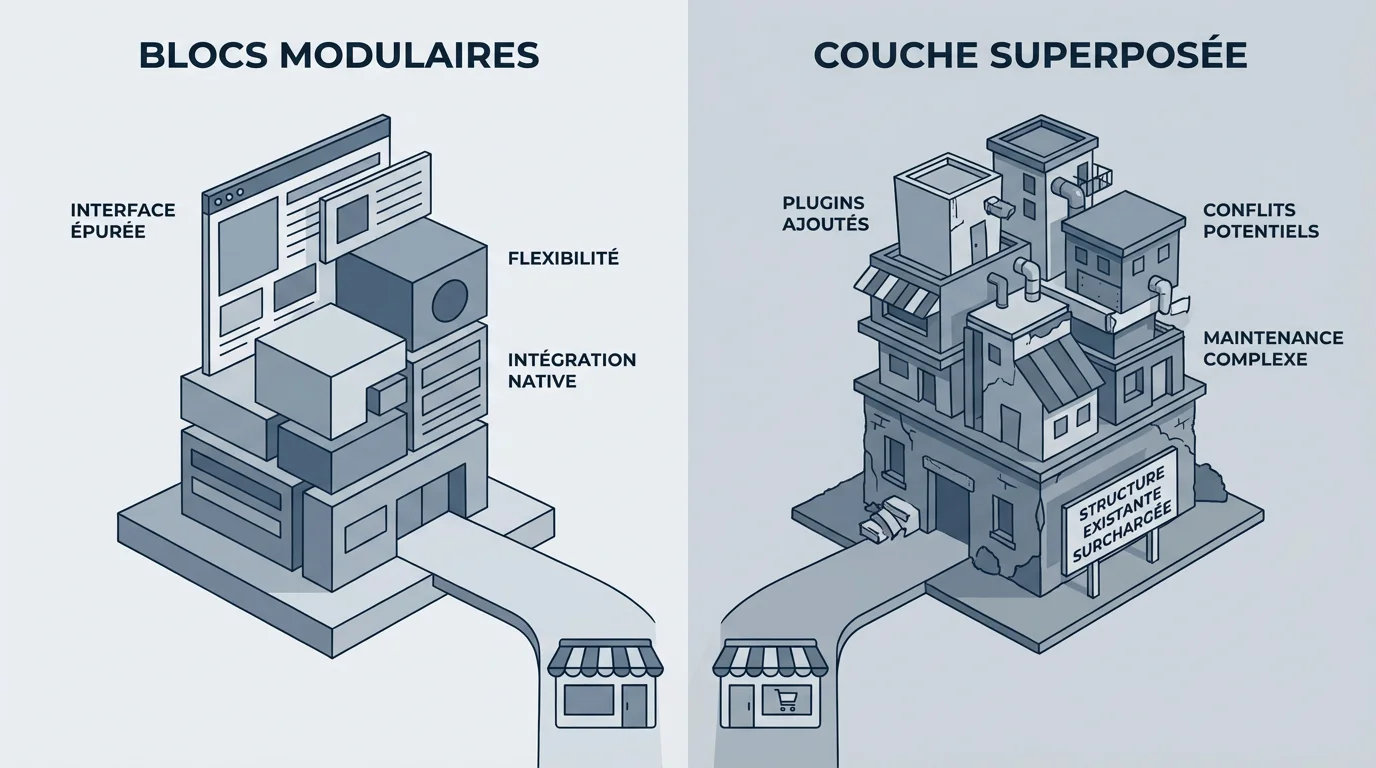
PageFly works as a third-party app bolted onto an existing Shopify theme. It gives you design freedom alongside your theme, so you can build landing pages, product pages or FAQ sections without code. Its drag-and-drop editor wins people over with its visual flexibility.
The FullStack theme takes the opposite route. Instead of adding an app layer, it builds 44 public blocks and 100+ native, conversion-focused features right into the theme itself. The result: no dependency on an external app and no extra scripts injected on every page.
This difference in philosophy has a direct impact on your store's performance, maintenance and total cost of ownership.
Installed Shopify apps are the leading cause of failed Core Web Vitals on Shopify stores; every app can inject JavaScript and CSS on every page of your store, even pages where the app isn't used. This finding, documented in the Core Web Vitals guide from corewebvitals.io, applies directly to external page builders.
The average Shopify store runs 6 to 10 apps, and many of them inject JavaScript that drags down Core Web Vitals. PageFly is no exception. Even though the tool offers lazy loading to limit the impact, navigating through so many elements can get complicated, and leftover HTML/CSS can stick around after you uninstall it.
An optimized native theme, on the other hand, only loads the resources it actually uses. By building its built-in theme features directly into the architecture, our solution avoids that script overload. The impact is measurable: a Deloitte study found that a 0.1-second improvement in load time increased retail conversions by 8.4% and average order value by 9.2%.
When it comes to conversion rate optimization, the two solutions don't start from the same place. PageFly offers templates, a visual editor and integrations with 100+ apps. But for things like A/B testing, custom fonts or ready-to-use landing page templates, you often have to add extra tools.
With our theme, most of these capabilities are already on board. The theme is built to make A/B testing easy: custom IDs and classes let you run variant tests cleanly with the third-party testing tool of your choice. The built-in landing page templates go live in one click, with no external editor.
It all comes down to one question: would you rather piece together a stack of tools, or have a complete solution from day one, like hopstore.be? To dig deeper, our article on why CRO is still underrated on Shopify covers the levers most merchants overlook.
A tool's sticker price doesn't always reflect what it really costs. PageFly offers a limited free plan and paid plans starting at $24/month with 24/7 support. Its Unlimited plan goes higher for stores that need lots of published pages.
Criteria |
PageFly |
FullStack theme |
|---|---|---|
Type of solution |
Third-party app (page builder) |
All-in-one Shopify theme |
Free plan / trial |
Free plan (1 published page) |
14-day free trial |
Entry-level paid price |
$24/month |
Subscription (see pricing) |
Separate Shopify theme required |
Yes (separate theme needed) |
No (theme included) |
Built-in CRO features |
Templates + external integrations |
100+ native features |
Impact on page speed |
Extra JS/CSS scripts |
Lightweight native architecture |
User rating |
4.9/5 (Shopify App Store) |
4.9/5 (150+ reviews) |
On top of PageFly's monthly fees, you'll often pay for add-on apps (A/B testing, pop-ups, advanced analytics). To see our plans, head over to the FullStack theme pricing page.

PageFly's editor packs a lot of options, but all that depth can feel like a maze; for experienced users it's a playground, while beginners face a real learning curve. Several reviews on Capterra confirm this split.
Our theme installs in under 5 minutes and requires zero development skills. Customization happens in Shopify's native editor, an environment most merchants already know. No new tool to learn; no extra interface to master.
That difference translates into time saved. While one merchant spends an hour configuring a page builder, another launches their store with a ready-to-use template and focuses on acquisition.
One often-overlooked factor when choosing between a Shopify page builder and a native theme is long-term maintenance. Every feature you add to your online store can affect its performance; some can slow down your site or cause unexpected behavior that hurts the user experience, as Shopify's official documentation on web performance points out.
With an external page builder, you depend on compatibility between three moving parts: your theme, the PageFly app and Shopify itself. An update to any one of them can affect the others. And if you uninstall the page builder, the pages you built with it may stop working.
An integrated native theme removes that complexity. Updates are handled in one place. The features are part of the theme; they evolve with it, with no risk of app conflicts.
The average ecommerce conversion rate worldwide sits between 2.5% and 3% in 2025, according to several industry studies. Every tenth of a point you gain represents significant revenue, especially at high traffic volumes.
Around 70% of consumers admit that a slow site affects their willingness to buy from an online retailer, according to data published by Shopify Enterprise. That figure shows why your technical foundation, theme included, directly shapes your sales results.
By cutting unnecessary scripts and building conversion tools straight into the theme, you improve speed and the shopping experience at the same time. That's exactly what we explain in our breakdown of why your Shopify theme choice changes everything for CRO.
PageFly can make sense in specific situations: it's aimed at small Shopify stores or entrepreneurs just getting started in ecommerce. Its free plan lets you publish one page and try the tool. For a one-off standalone landing page with no advanced CRO ambitions, it's a starting option.
If your goal is to optimize your entire store for conversion, cut your third-party app costs and keep load times fast, an all-in-one theme is the more sustainable approach. With 10,000+ installs and a 4.9/5 rating, the FullStack theme was built by CRO experts to meet exactly those requirements.
In short, the right choice depends on your maturity stage and your ambitions. But merchants who want to scale without bloating their tech stack will naturally lean toward an integrated solution.
The PageFly vs FullStack debate reflects a bigger question: should you keep stacking tools, or invest in a solid foundation? The data is clear. Speed converts. Simplicity frees up time. Native integration cuts costs and risk. With 600+ A/B tests run and 150+ store redesigns delivered, our theme embodies this all-in-one, performance-first approach.
To see the difference on your own store, explore the FullStack Shopify themes and start your 14-day free trial.
Like any third-party app, PageFly injects JavaScript and CSS into your pages. The impact depends on how complex your pages are and how many apps you already have installed. A native theme with built-in features avoids that overhead.
Technically, PageFly works with any Shopify theme. However, our theme already includes 44 public blocks and 100+ native features, which makes adding an external page builder largely unnecessary. You save a monthly fee and skip the extra scripts.
Your conversion rate depends on speed, user experience and the optimization tools at your disposal. An all-in-one solution like the FullStack theme brings those three pillars together with no external dependencies, which makes ongoing optimization simpler.
Rated 4.9/5 out of 200+ reviews






